
Email notifications for applications
Notify your team by email whenever a new wholesale application form is submitted, so B2B sign-ups never sit unreviewed.
This page covers notifying your team when an application comes in. To email the applicant about your decision, see emailing applicants your decision.
To notify your team, open Settings → Application notifications in the app and enter the emails of the people who should hear about new submissions.
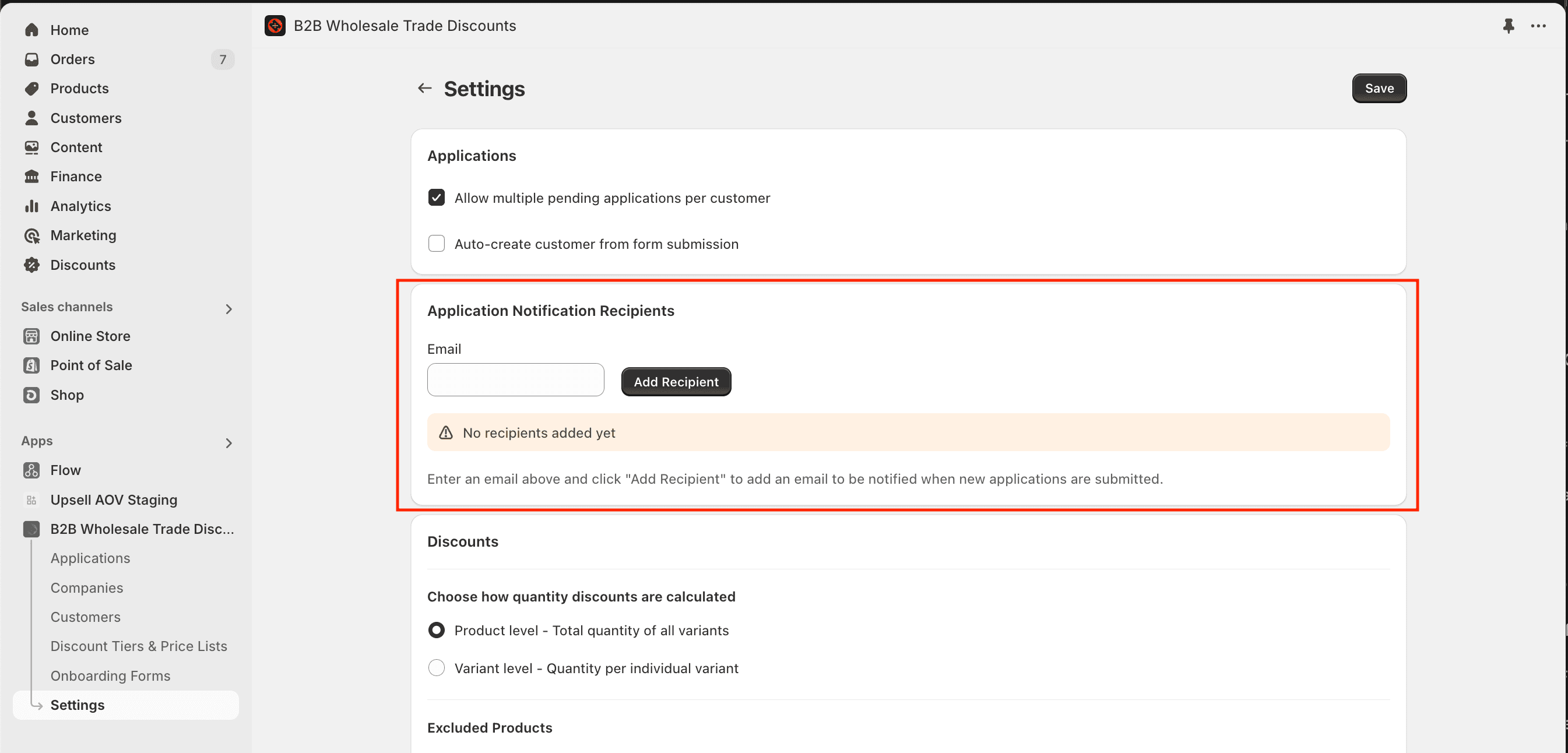
To ensure deliverability and keep submissions out of your spam box, please make sure to add the sender email address to your contacts list.
Draft order invoices & reminders
Display Shopify draft order invoices on the customer accounts page and send automated payment reminders until invoices are paid.
Connect Klaviyo
Send wholesale tiers, companies, net terms and application events to Klaviyo so you can segment B2B buyers and automate approval, quote and renewal emails.