
Discount expiration
Activate discount expiration so company discounts in your Shopify B2B program automatically expire after a validity period you set.
Activating discount expiration
-
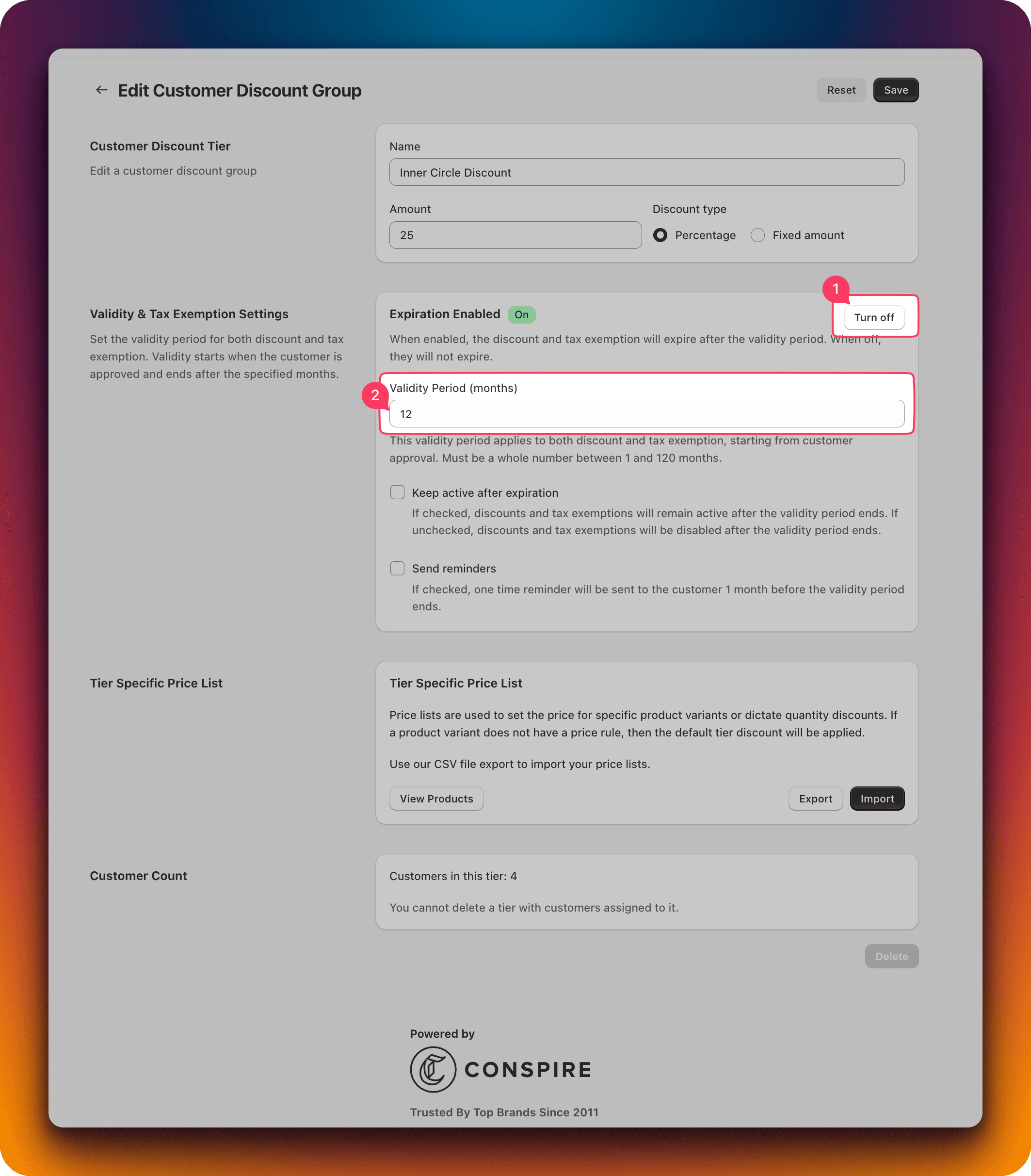
Go to the Customer Discount Group and click on the expiration toggle button [1], and then set the validity period in the input box [2].
- The expiration applies at the Company level. Two different Companies having the same Customer Discount Group may expire at different times.
- The Company level timer starts immediately when the Company is approved.
-
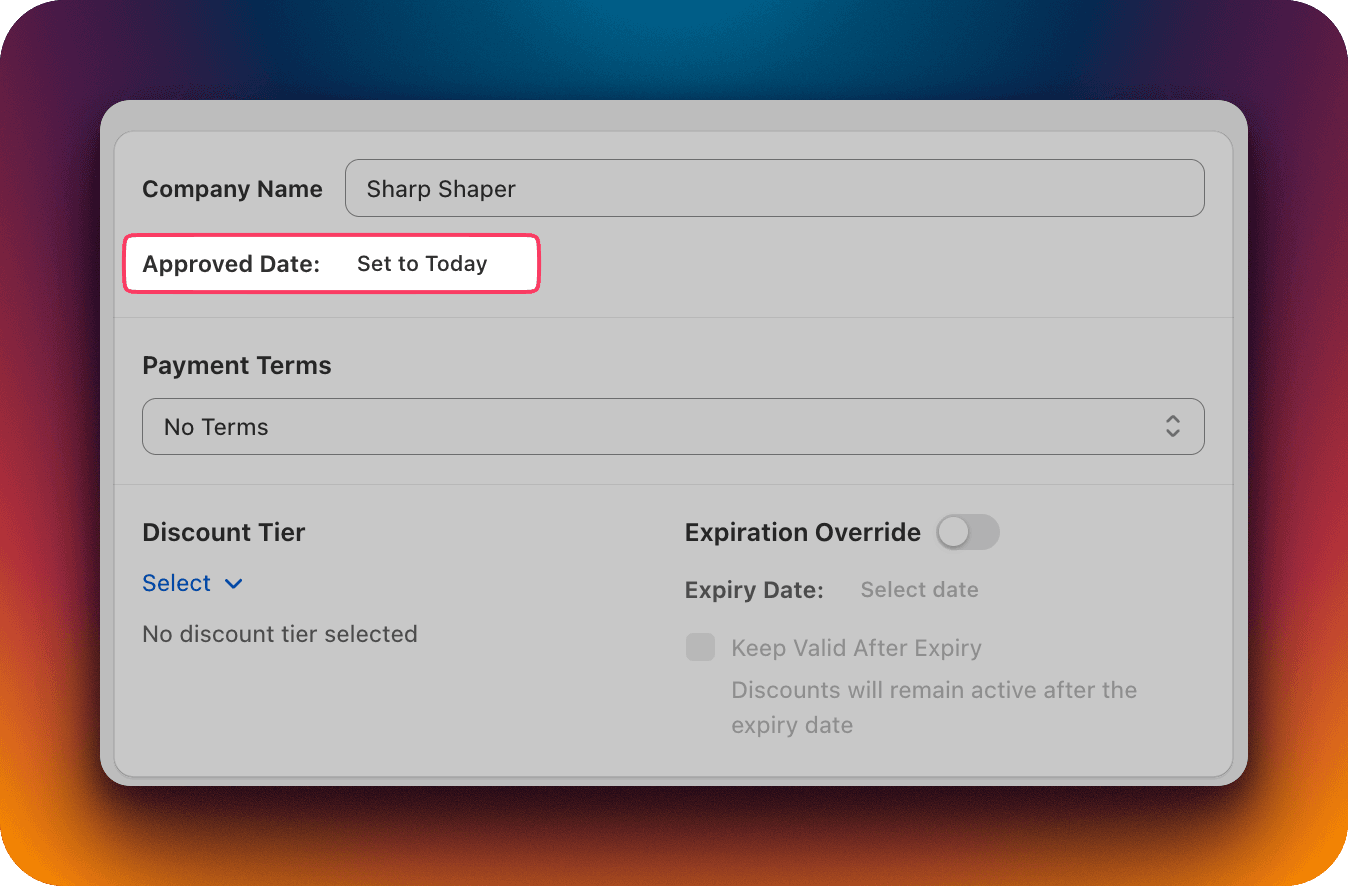
Create a new Company and set the Approved Date by using the "Set to Today" button.
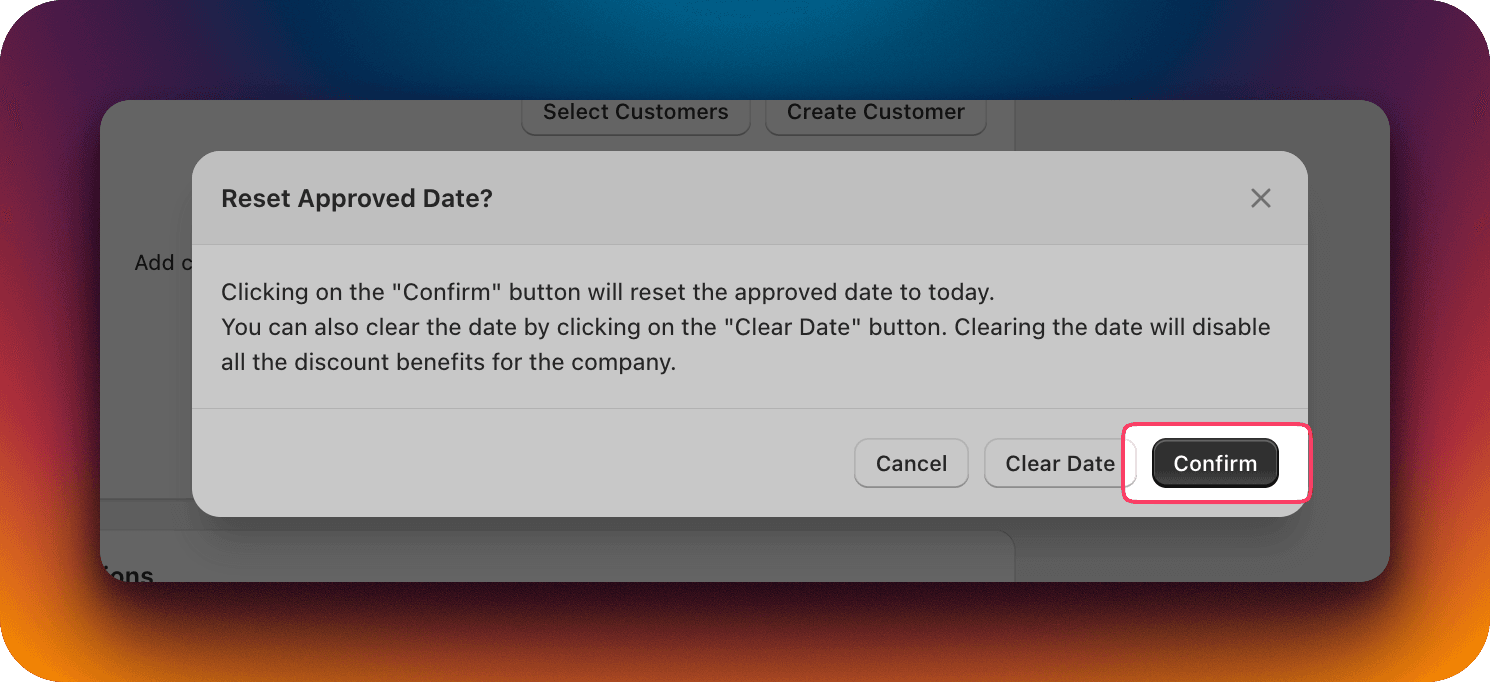
It will open a small dialog box, where you can click "Confirm" to set the current date.
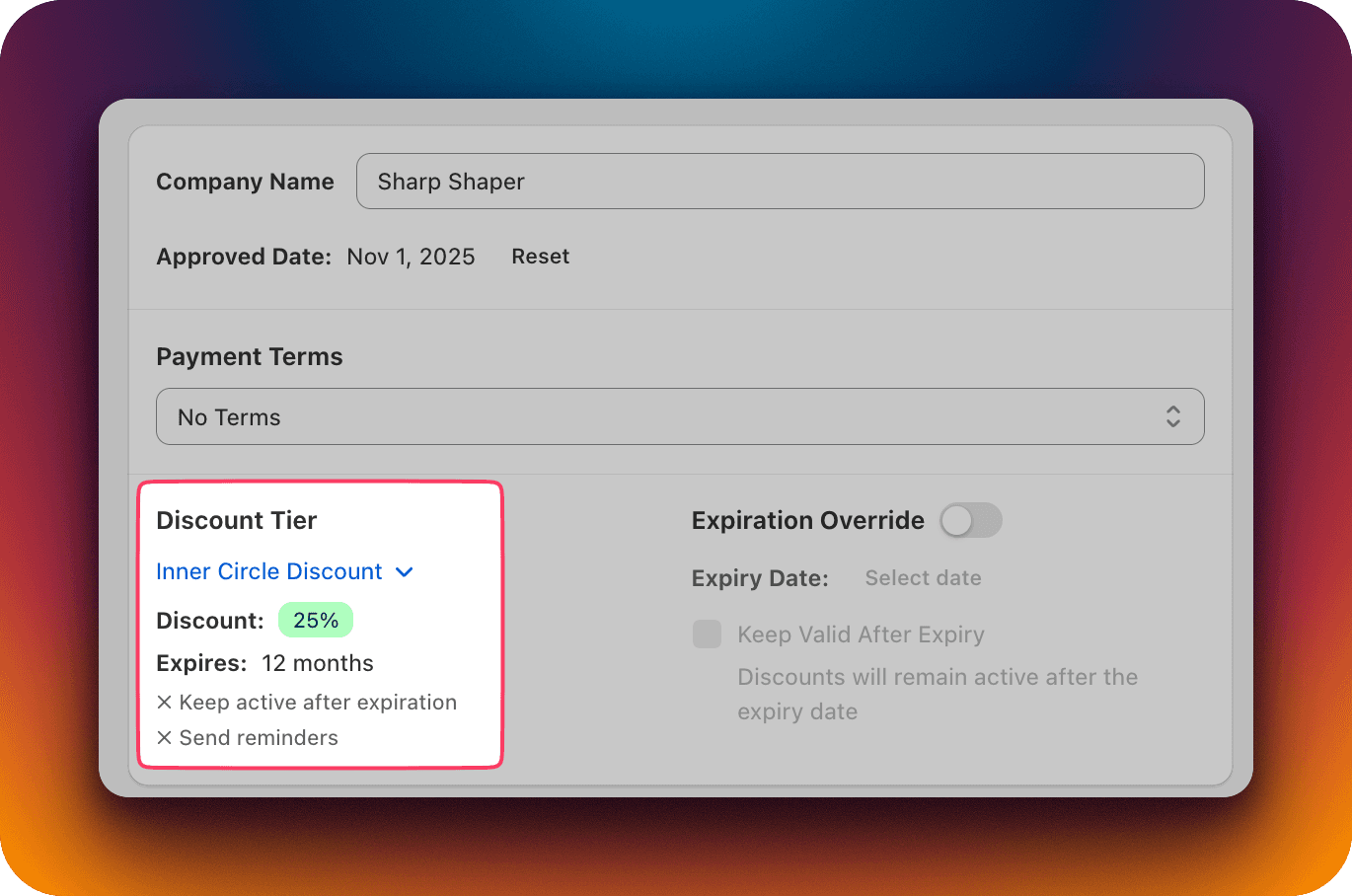
Then select the Customer Discount Group of your choice.
Handle special use cases
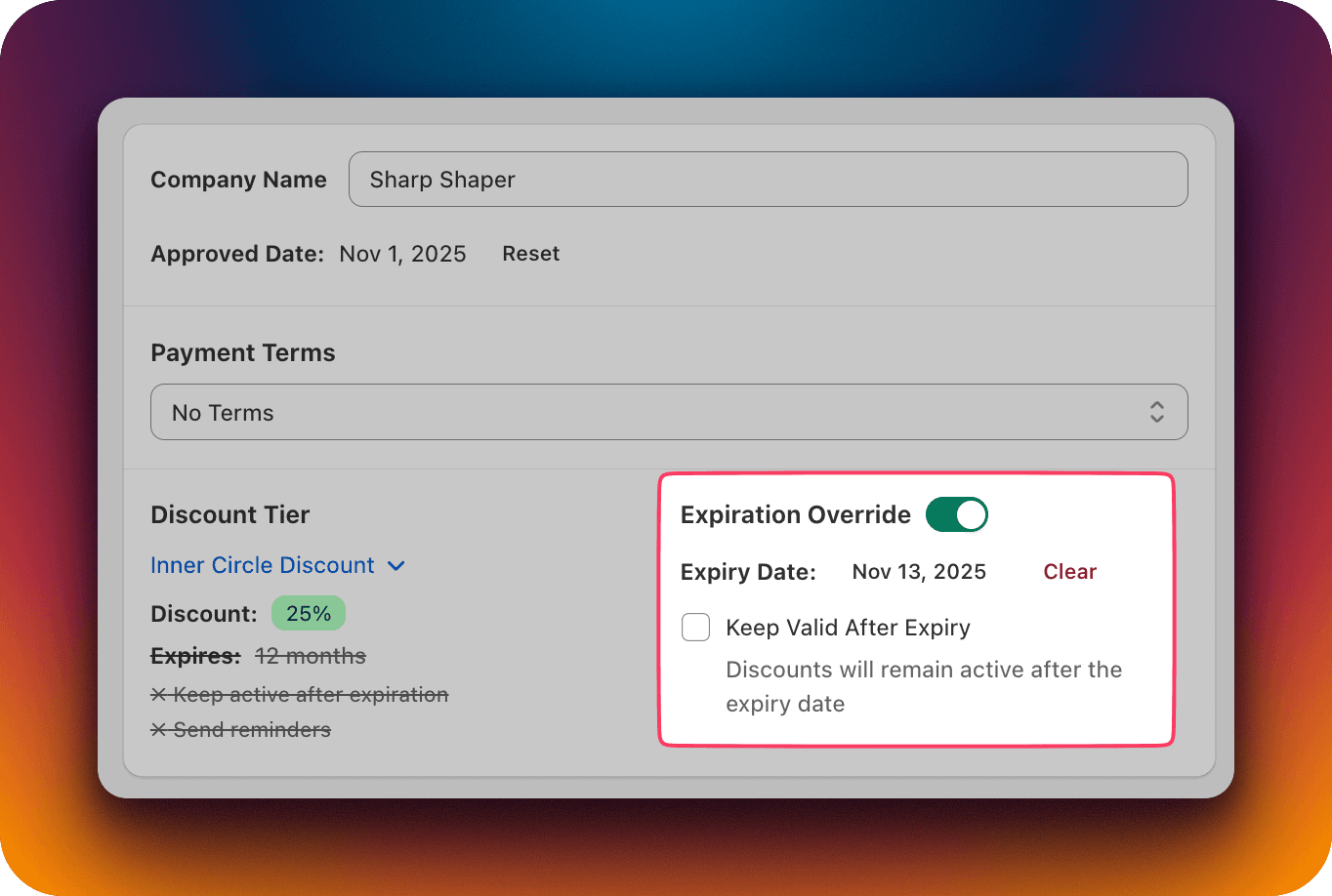
- You can override the Customer Discount Group level expiration settings by using the following company level settings.
- You can set any date by clicking on the date. If the new date is in the past, then all the customers belonging to this company will immediately expire.
Minimum & maximum order value rules
Set minimum and maximum order value rules that control when wholesale discounts apply to B2B orders in your Shopify store.
Draft order invoices & reminders
Display Shopify draft order invoices on the customer accounts page and send automated payment reminders until invoices are paid.