
Discounts
Minimum & maximum order value rules
Set minimum and maximum order value rules that control when wholesale discounts apply to B2B orders in your Shopify store.
Follow these steps to set up min-max rules.
Setting up the rules
-
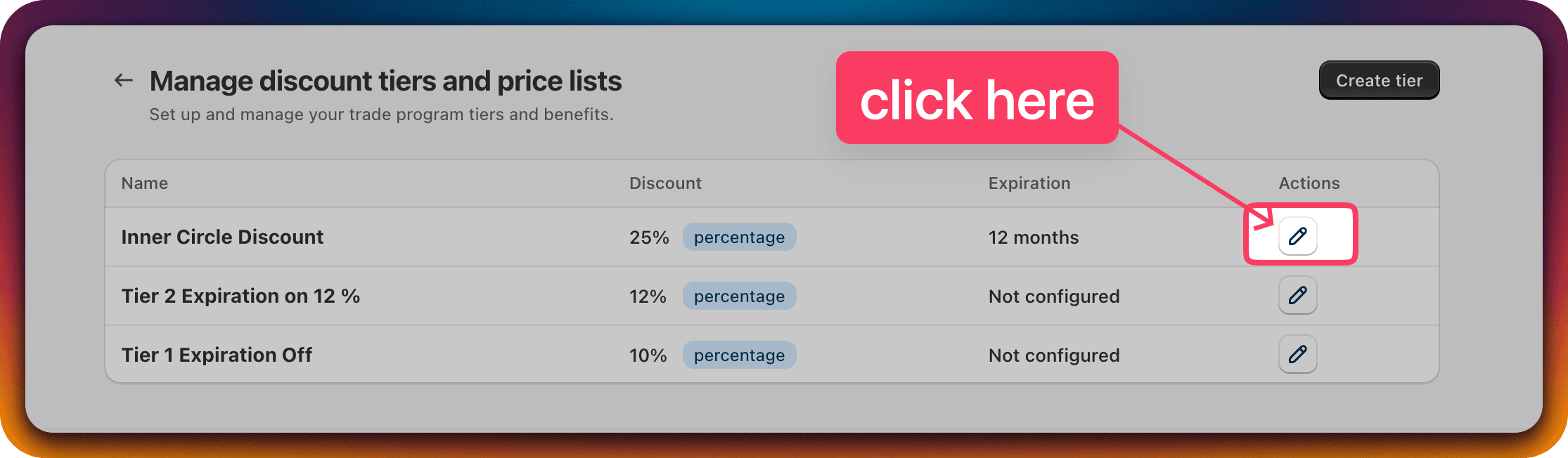
Edit any Customer Discount Group.
Click the edit icon for the Discount Group of your choice.
Note: these rules are equally applicable on the "Create Customer Discount Group" page.
-
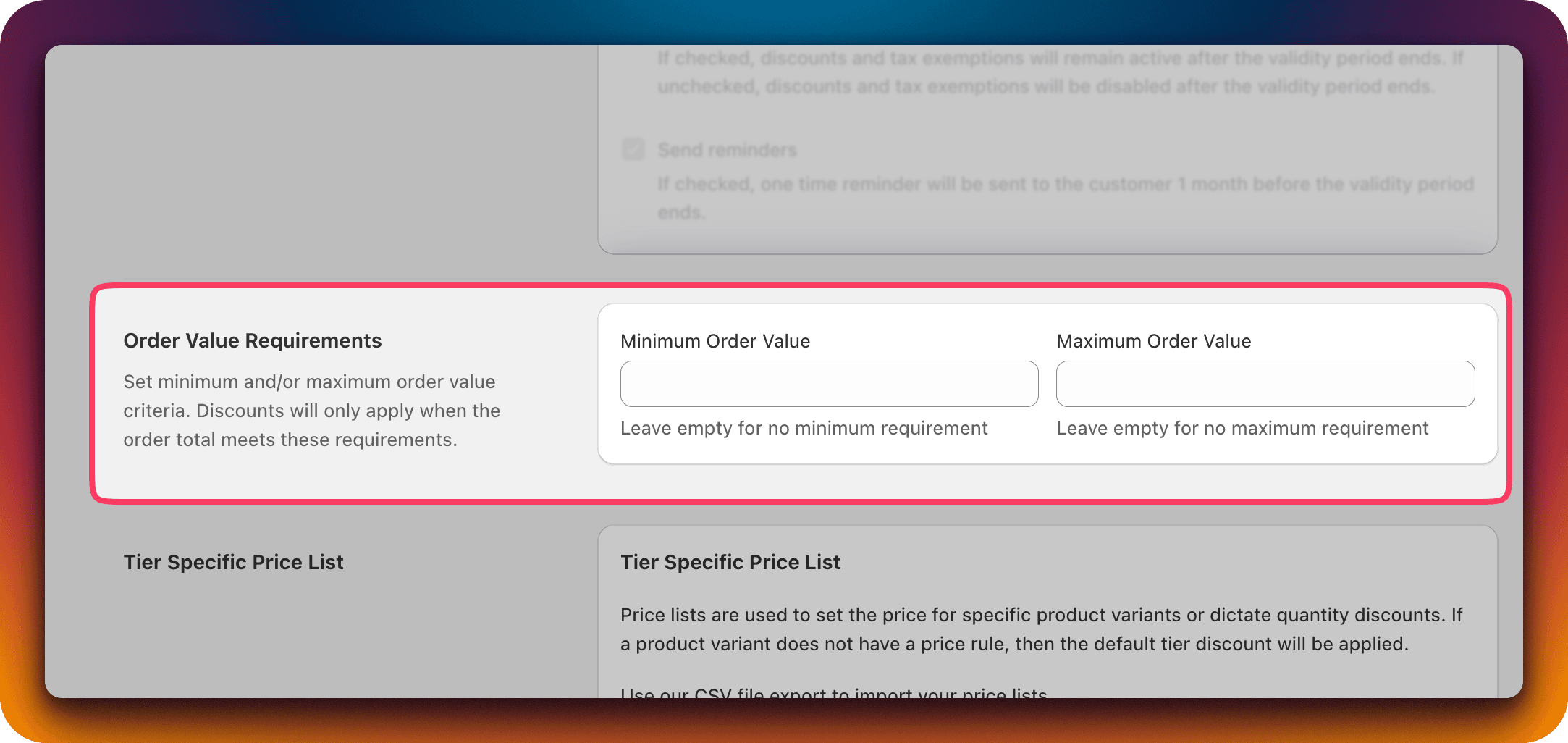
On the "Edit Customer Discount Group" page find the "Order Value Requirement" section.
- You can use the "Minimum Order Value" and "Maximum Order Value" inputs to set limits.
- These values will be compared against the cart total before discount.
Examples
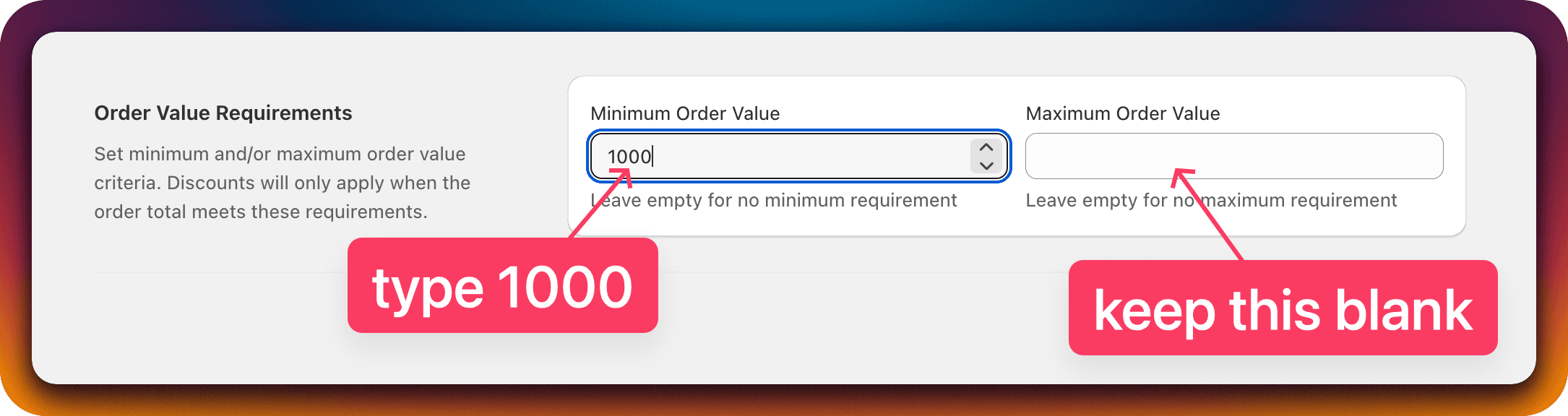
Apply discount only if the cart total is greater than or equal to $1000
| Cart total | Discount applied? |
|---|---|
| $999 | No |
| $1000 | Yes |
| $1500 | Yes |
Apply discount if the cart total is within the range $599 to $1599

| Cart total | Discount applied? |
|---|---|
| $500 | No |
| $598 | No |
| $599 | Yes |
| $1000 | Yes |
| $1599 | Yes |
| $1600 | No |
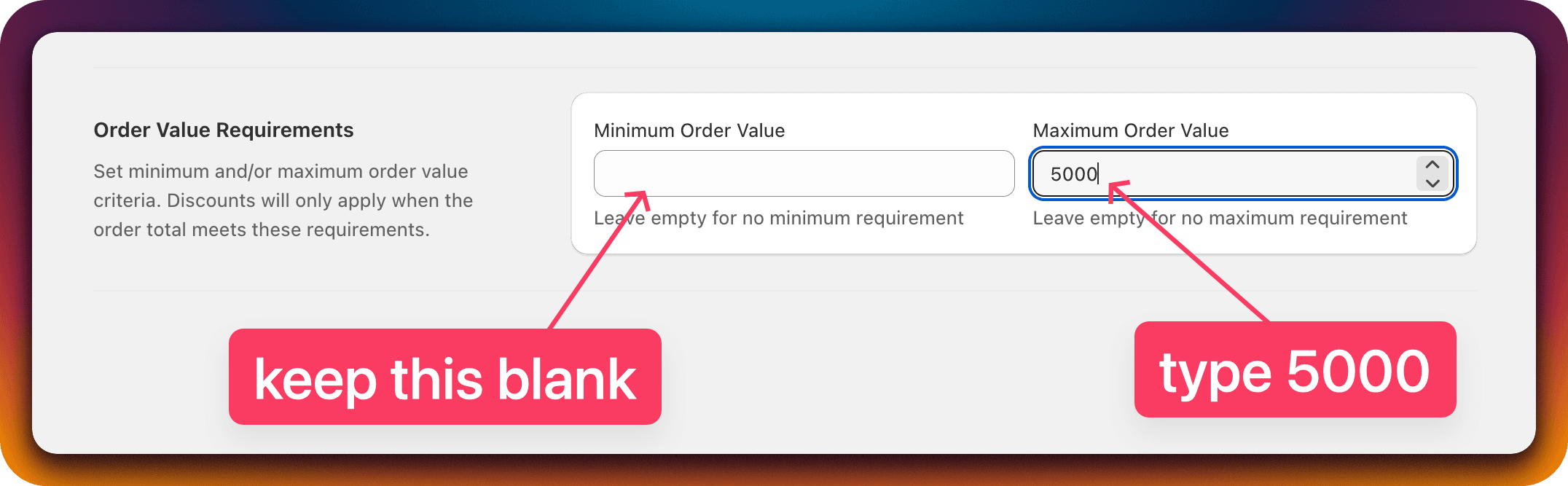
Apply discounts if the cart total is less than or equal to $5000
| Cart total | Discount applied? |
|---|---|
| $4999 | Yes |
| $5000 | Yes |
| $5001 | No |
Product level quantity discounts
Apply Shopify quantity discounts based on the combined total of all variants of a product in the cart, not just per-variant counts.
Discount expiration
Activate discount expiration so company discounts in your Shopify B2B program automatically expire after a validity period you set.