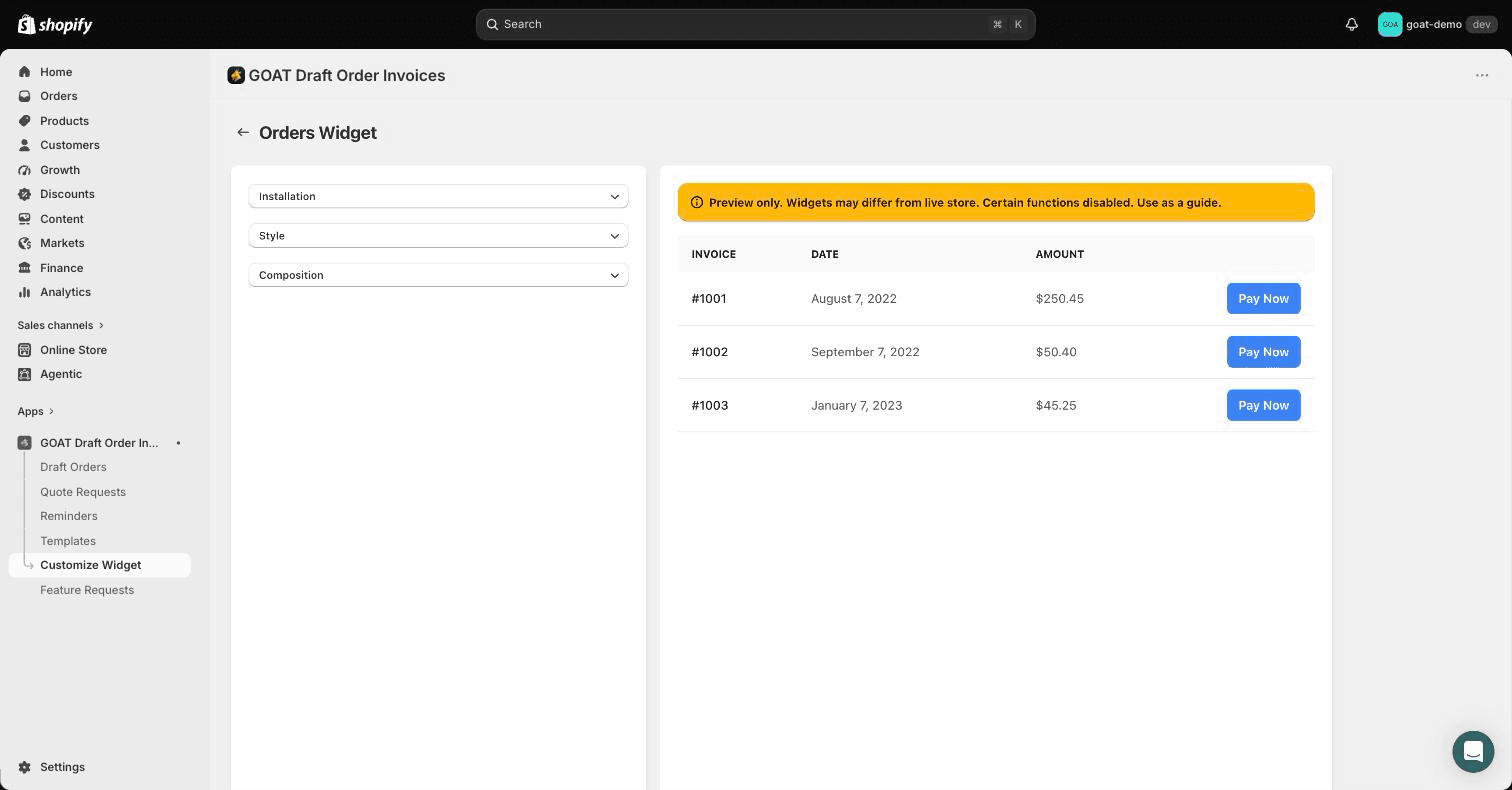
Enabling the theme widget
Turn on the B2B Draft Order Invoices app embed and add the open invoices table to the customer account page of your Shopify theme.
The storefront widget lists a customer's open draft order invoices on the classic customer account page (/account), with a Pay Now button that opens Shopify's secure invoice checkout. It ships as a theme app extension, so it lives in your theme editor and is served from Shopify's CDN.
Using Shopify customer accounts?
If your store uses Shopify's hosted customer accounts (the default for new stores) instead of the classic account page, use the customer account extensions instead of (or alongside) the theme widget.
1. Enable the app embed
- In your Shopify admin, go to Online Store → Themes and click Customize on your live theme.
- Open the App embeds panel in the theme editor sidebar.
- Find Draft Order Invoices GOAT and toggle it on. (Shopify caps app embed names at 25 characters, so the embed drops the "B2B" prefix from the app name.)
- Click Save.
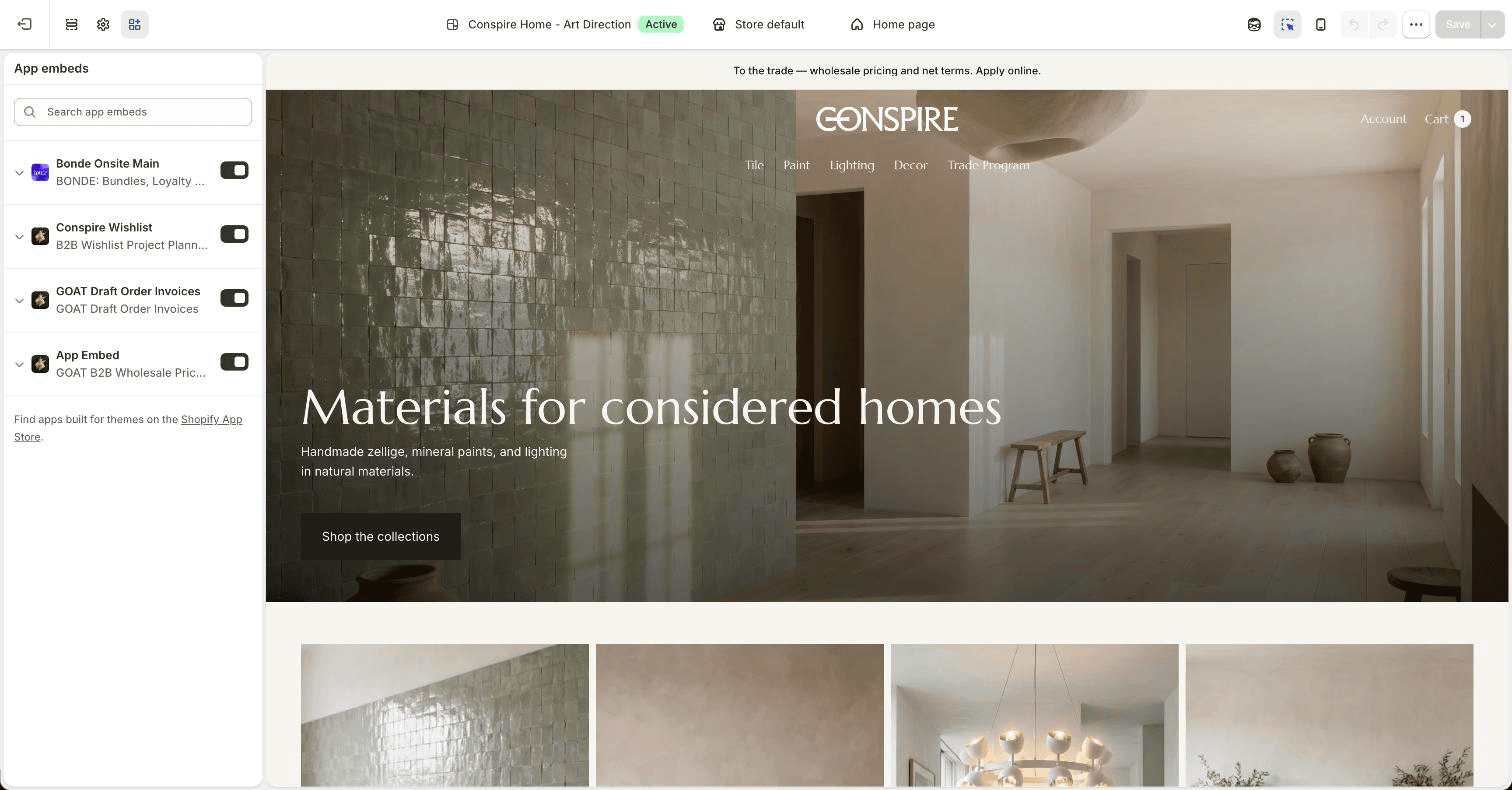
The app embed loads the widget script only on the customer account template, so it adds nothing to the rest of your storefront.
2. Add the invoice table block
- Still in the theme editor, navigate to the classic customer account page (Customers → Account template).
- Add the app block named Account Page Draft Table where you want the invoice list to appear.
- Click Save.
Logged-in customers with open draft order invoices now see a table of their invoices. Customers without open invoices see a configurable empty-state message.
3. Customize text and colors
The block's settings in the theme editor let you match the widget to your theme:
- Heading (defaults to "Open Invoices" - rename it to anything, e.g. "Quotes") and the column headings for invoice, date, amount, and pay.
- Pay button text (defaults to "Pay Now").
- Empty state text shown when a customer has no open draft orders.
- Colors for background, text, and the pay button.
The app's admin also has a widget settings page (Customize Widget in the app's navigation) with a live preview where you can adjust the widget's installation, style, and composition.