
Customer accounts
Show open draft order invoices inside Shopify's new customer accounts, so customers can see and pay what's due from their account page.
Shopify customer accounts (the Shopify-hosted login-code accounts that are now the default for new stores) are where your customers already check their orders - and B2B Draft Order Invoices puts their open invoices right there. The app ships two customer account UI extensions, described below.
On the classic account page?
If your store still runs the classic, theme-rendered account page at
/account, use the classic customer
accounts guide instead - the
app supports both experiences.
The two extensions
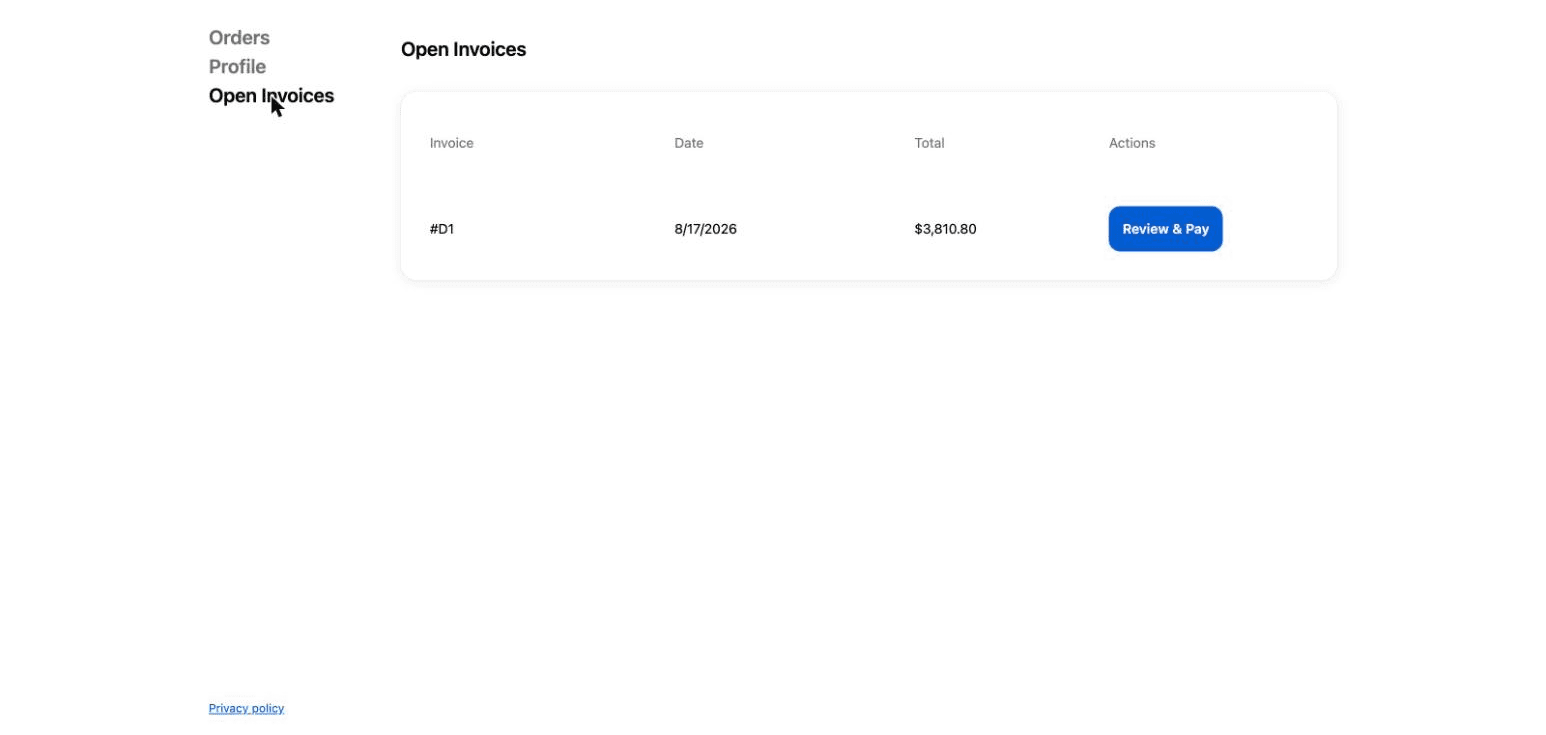
Open Invoices page: a dedicated full page inside the customer account that lists the customer's open draft order invoices with the invoice name, date, and total, and a Review & Pay button that opens Shopify's secure invoice checkout.
Order index block: a block that appears on the customer's order list, so open invoices sit right next to their order history where buyers already look.
You can enable either one, or both.
Adding the extensions
Customer account extensions are placed from Shopify's checkout and accounts editor:
- In your Shopify admin, go to Settings → Checkout (or Settings → Customer accounts) and open the customer accounts editor.
- Add the B2B Draft Order Invoices extensions where you want them: the full page extension as a new page, and the order index block on the orders page.
- Save and preview as a logged-in customer.
Renaming "Open Invoices" and other text
Selling quotes instead of invoices? Every merchant-facing label on both extensions is editable, so you can rename the widget to match your workflow - for example a Quotes page with a Review quote button.
- Open the customer accounts editor (Settings → Checkout, or Settings → Customer accounts).
- Select the B2B Draft Order Invoices extension on the page - the settings panel appears on the right.
- Edit any of the text settings:
- Heading - the page or block title (defaults to "Open Invoices").
- Invoice column label - the first column heading (defaults to "Invoice").
- Pay button text - defaults to "Review & Pay".
- Empty state text - shown when there's nothing due (defaults to "No open invoices").
- Save.
Each extension has its own settings, so if you use both the full page and the order index block, update the text on each.
Using the classic account page?
The theme widget's heading, column labels, button text, and empty-state message are equally editable - from the Account Page Draft Table block's settings in the theme editor. See enabling the theme widget.
How invoices are matched
The extensions authenticate with Shopify's customer account session and look up open invoices by the logged-in customer's email address. Make sure your draft orders have the customer attached with the same email the customer uses to sign in; drafts without a customer email won't appear.
A draft shows up once its invoice has been sent or you've marked it visible - and you can control that per draft, including hiding an already-sent invoice while you revise it, from the Invoice visibility block on the draft order page.
Payments still go through Shopify's invoice checkout link, exactly as with the classic widget. The extensions only surface the invoices; Shopify handles the payment.