
Installation
Install B2B Onboarding & Wholesale from the Shopify App Store, create your first sign-up form and tier, and add the app to your Online Store.
Follow these steps to get B2B Onboarding & Wholesale up and running on your store.
1. Install the app
Add the application to your storefront and accept the necessary permissions.
2. Create a trade form
Create a trade form, this is how you'll onboard new applications to join your program. Note the trade form ID, as you'll use this later in Customize Theme.
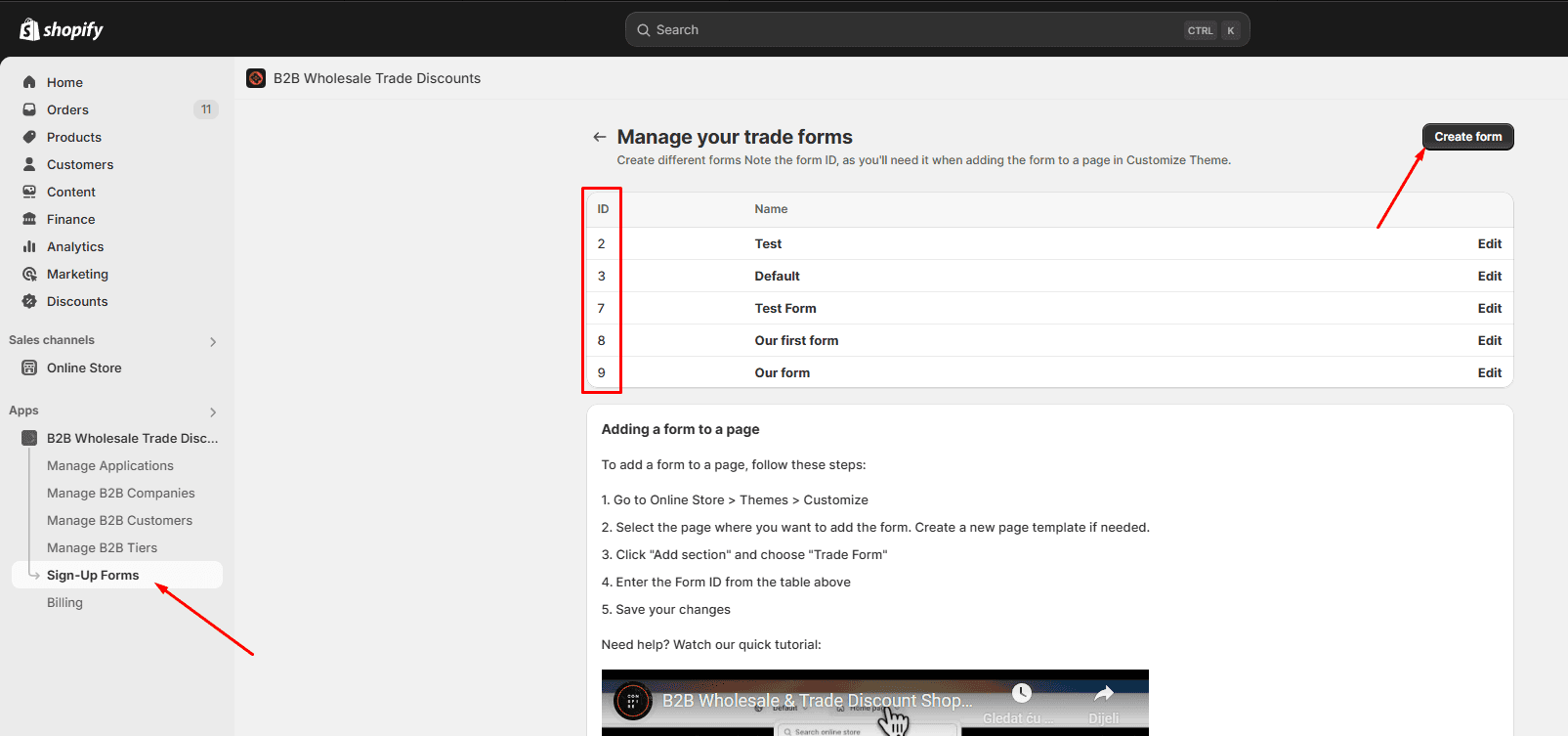
3. Create a trade program tier
Create a trade program tier, this is how you'll assign discounts for various users in your program.
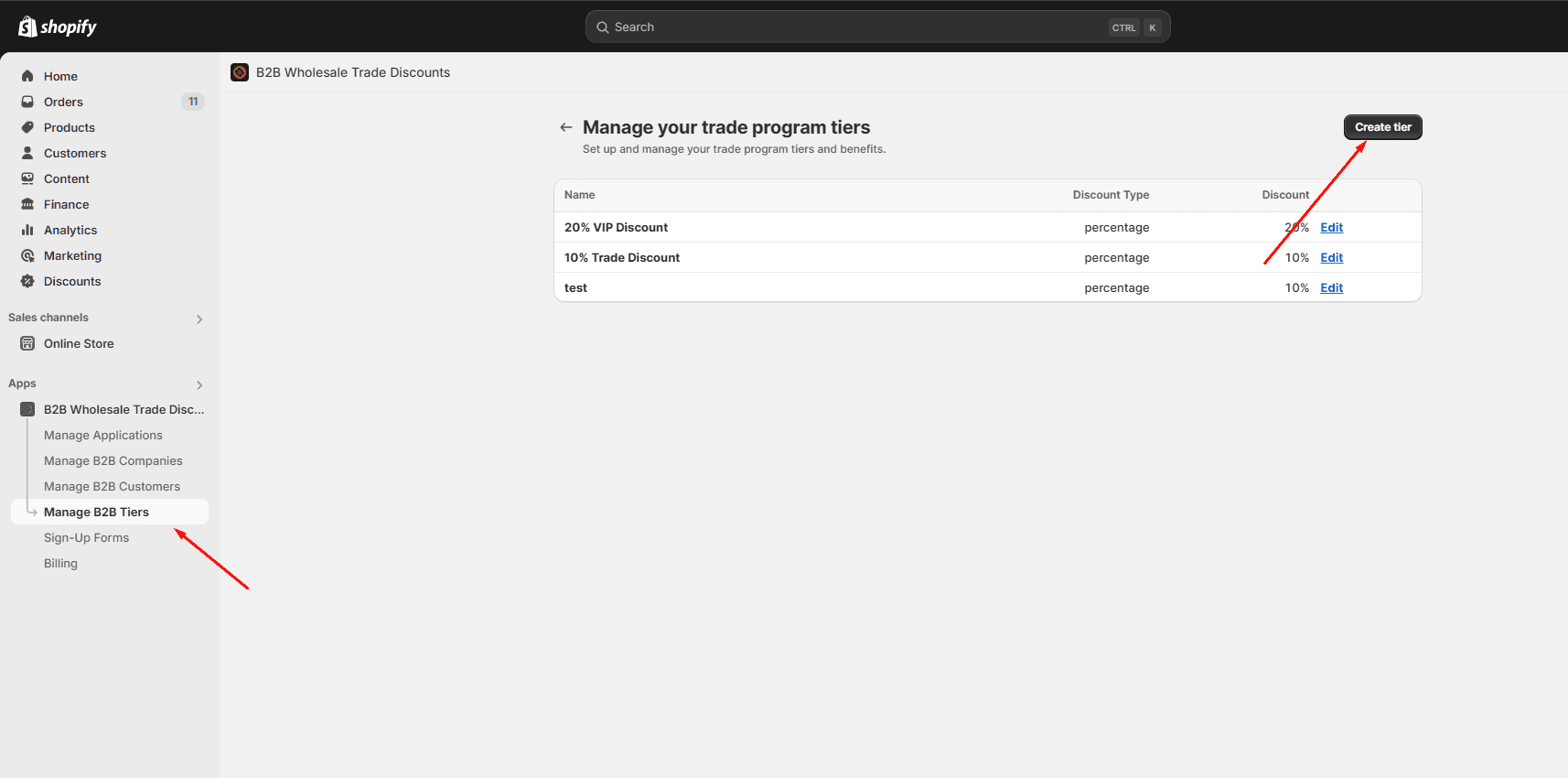
4. Add the application to your Online Store
-
Navigate to Customize Theme and activate the main application embed.
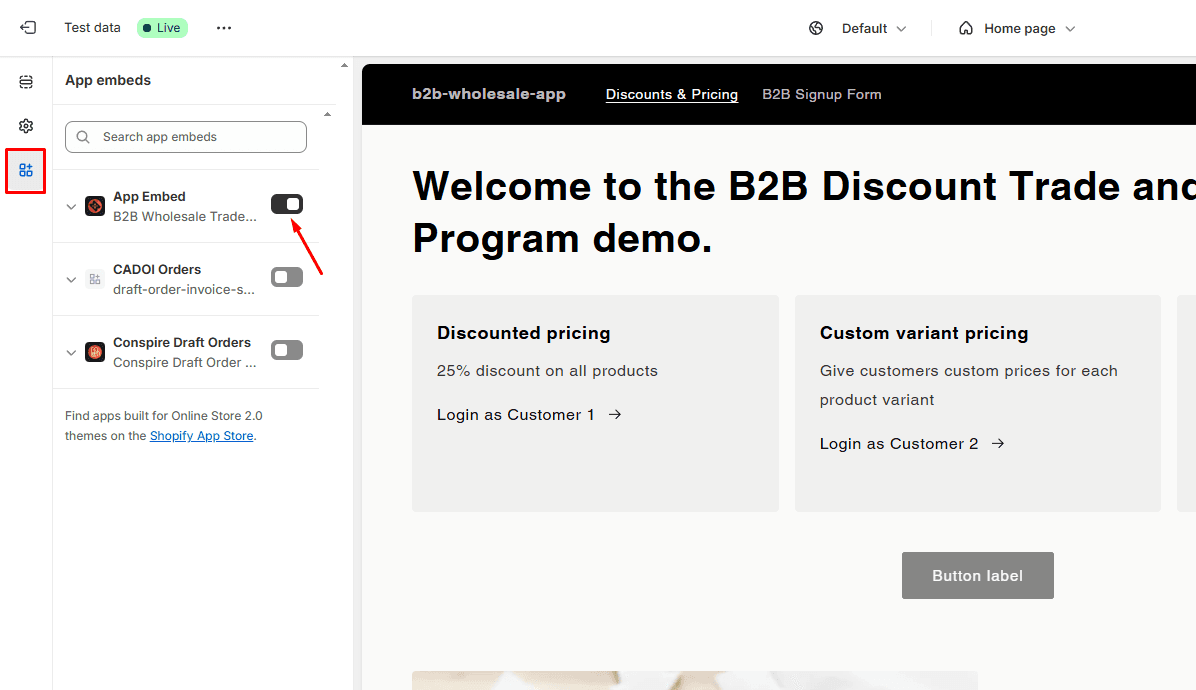
-
While still in Customize Theme, navigate to the page where you want your trade form to live.
Add the app embed block for the Trade Form and enter the form ID you'd like on this page.
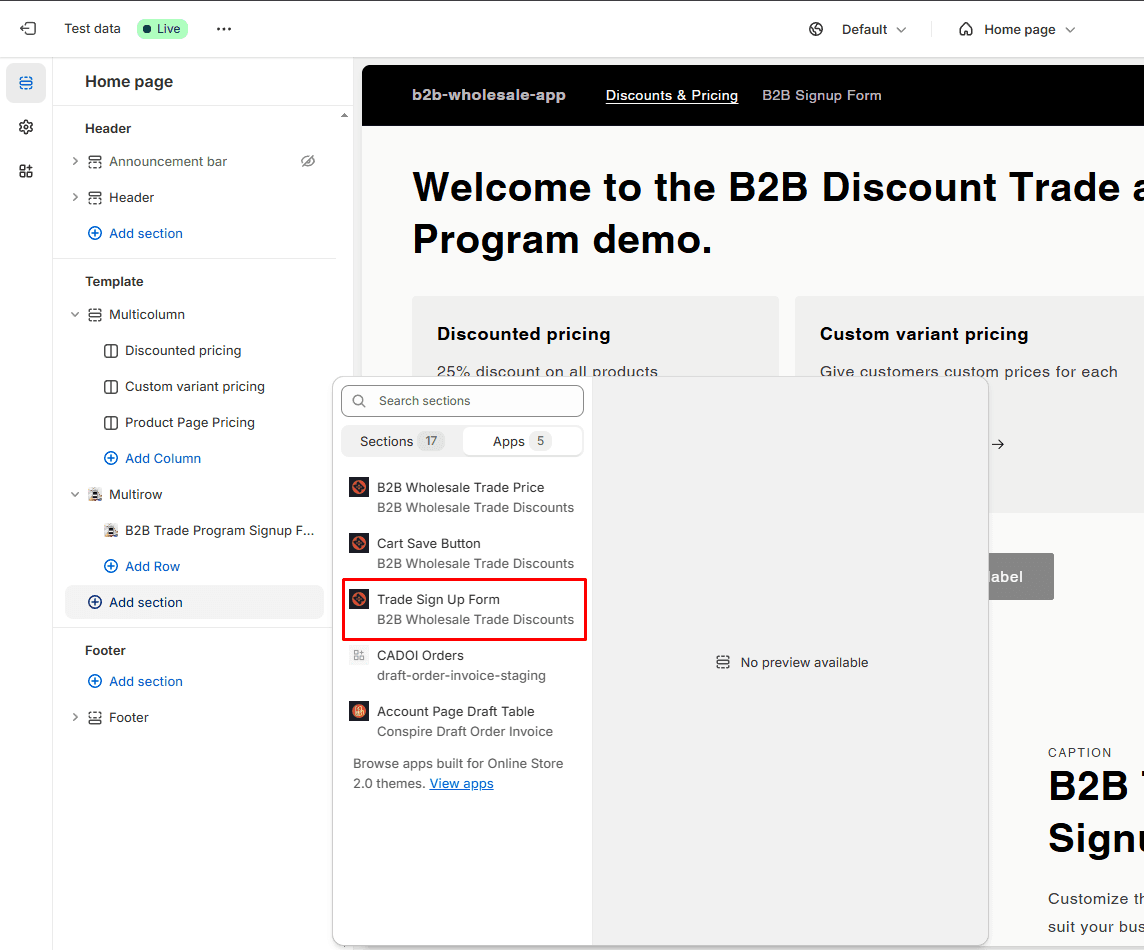
Enter the form ID you'd like on this page (IDs are visible in step 2).
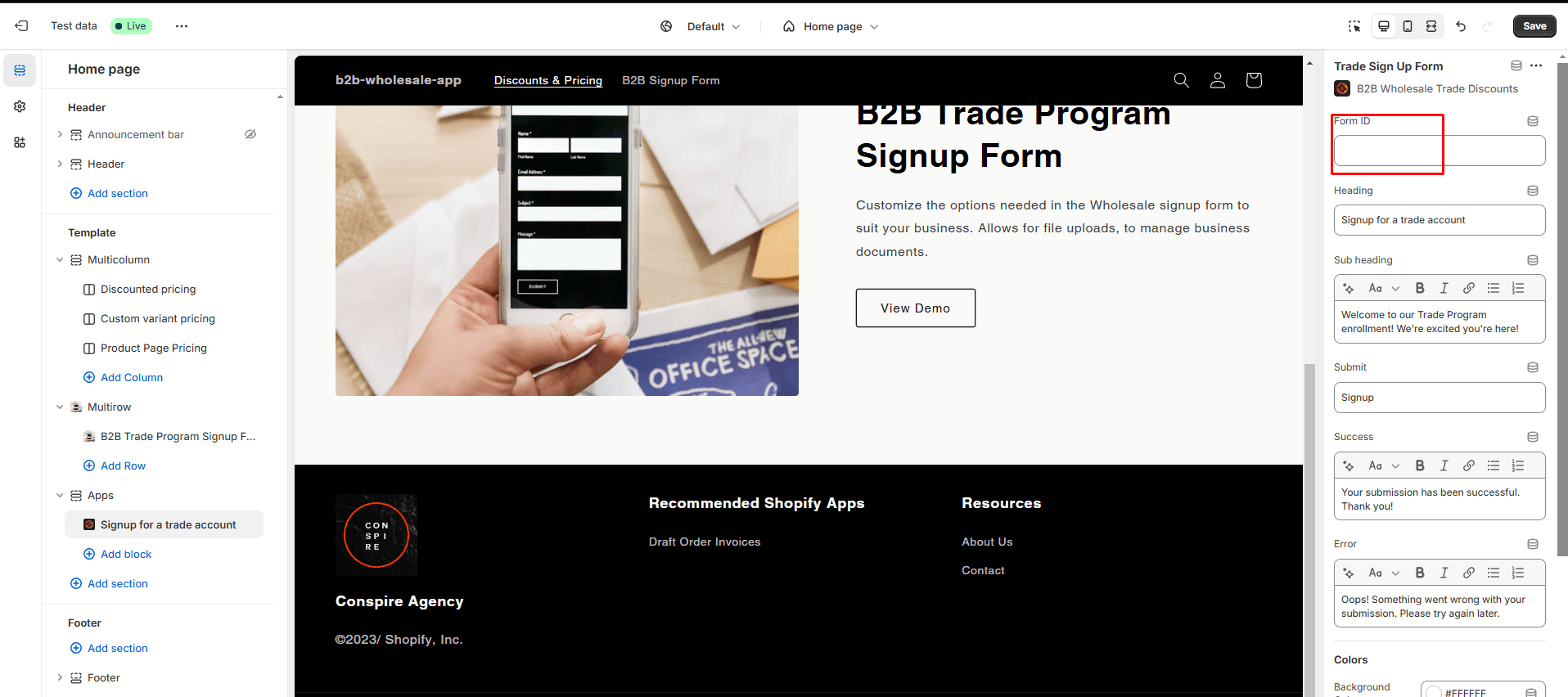
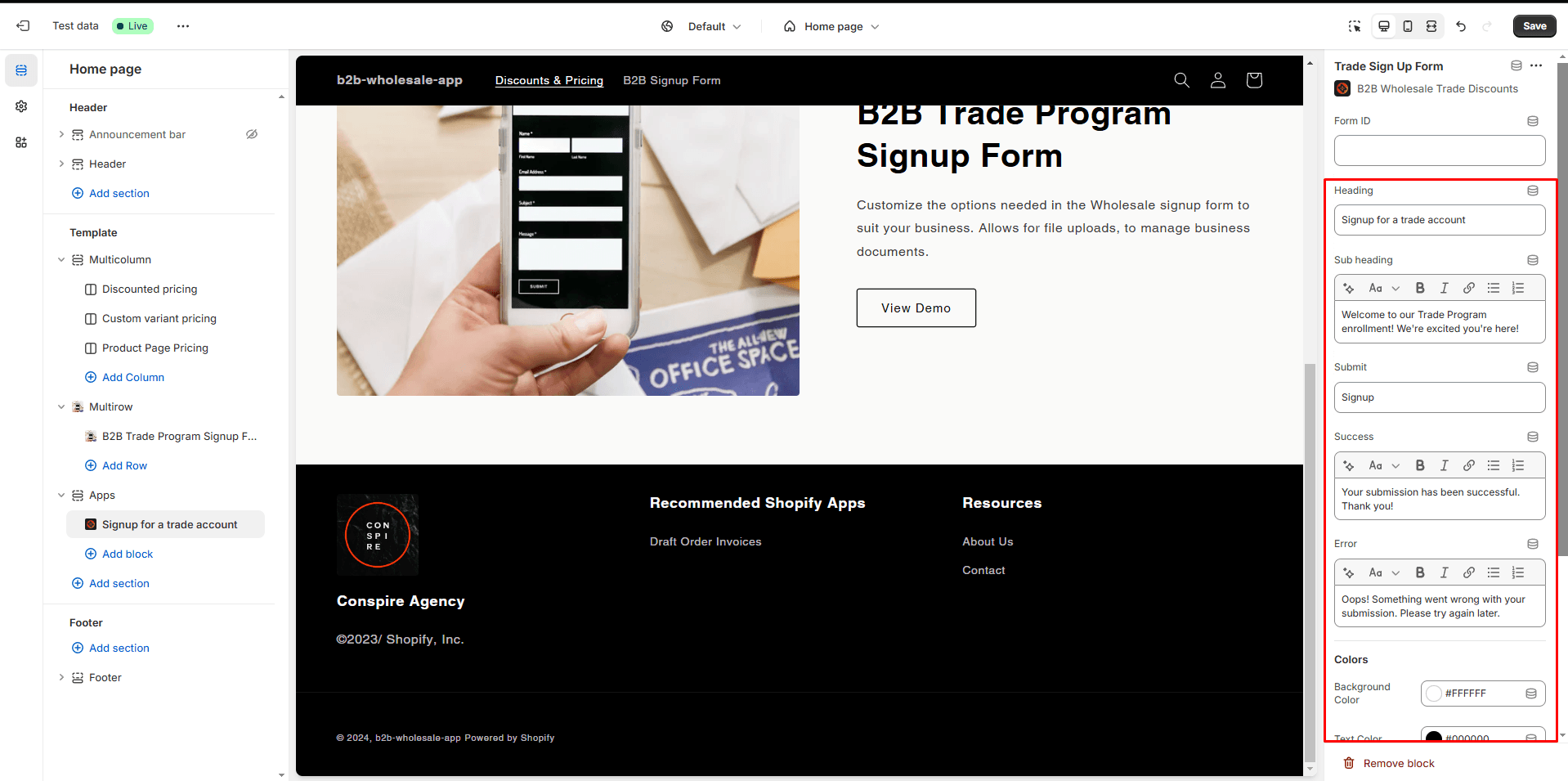
Fill out any other fields for form title, success message etc. you'd like to change.
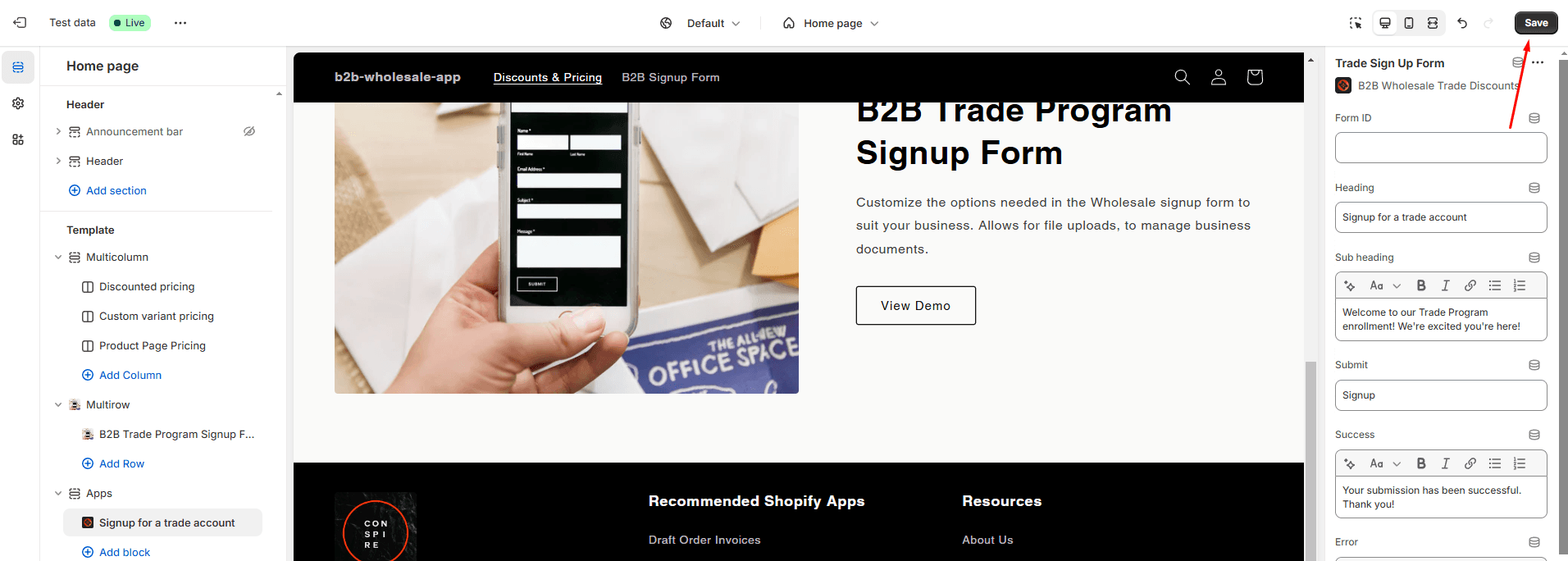
Hit save, you should now see the form on the page.
-
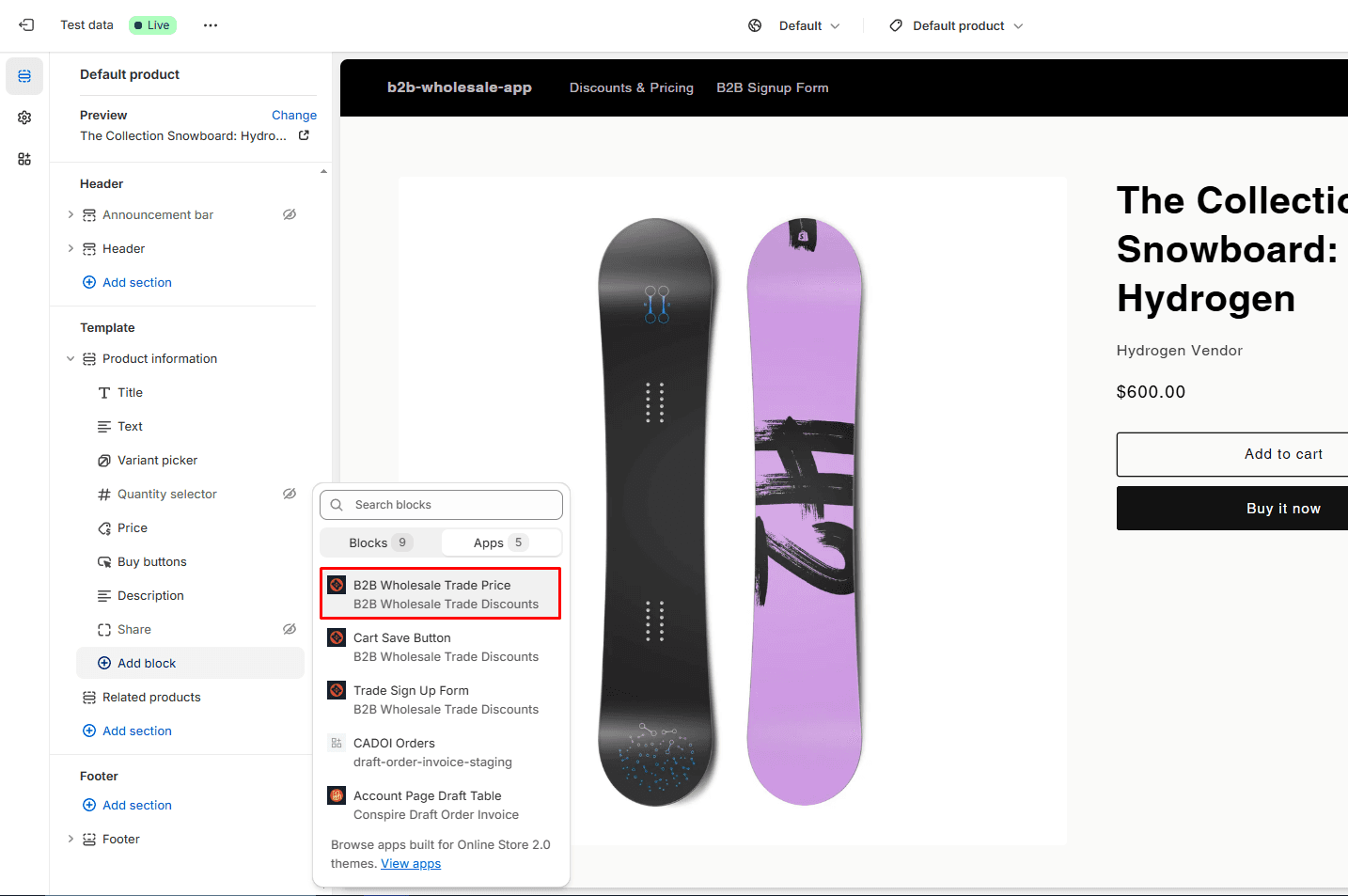
(Optional) Navigate to your product pages. Here you can add the app block for Trade Price, which will display discounted pricing based on customer tier on your product pages.
5. Start accepting submissions
Go ahead and fill out a test submission to make sure your form is working.
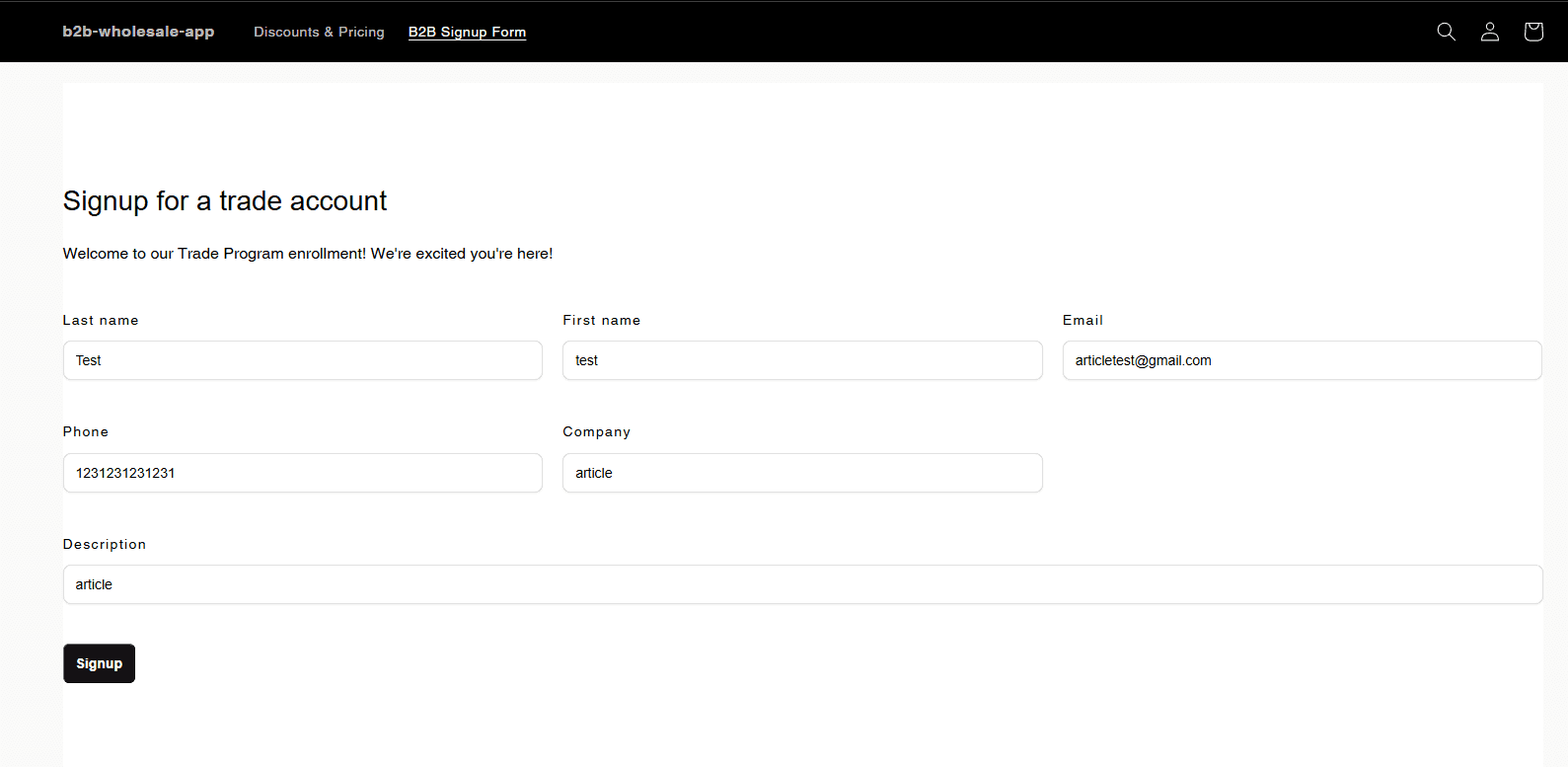
After you submit you can go ahead and navigate back to the application, where you should see your new application appear.
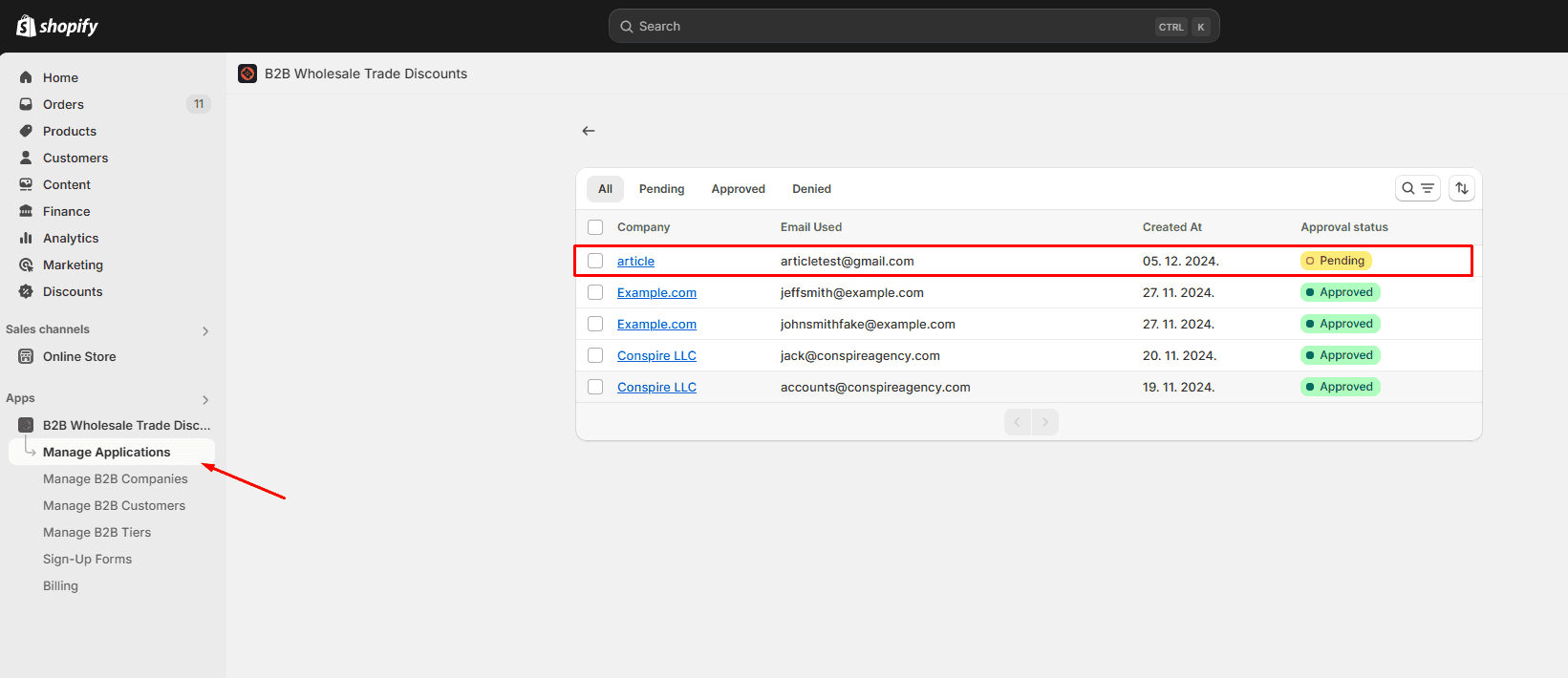
6. Review the application
In the application detail you can see all the information submitted in the application form. All applications must be assigned to a customer in Shopify.
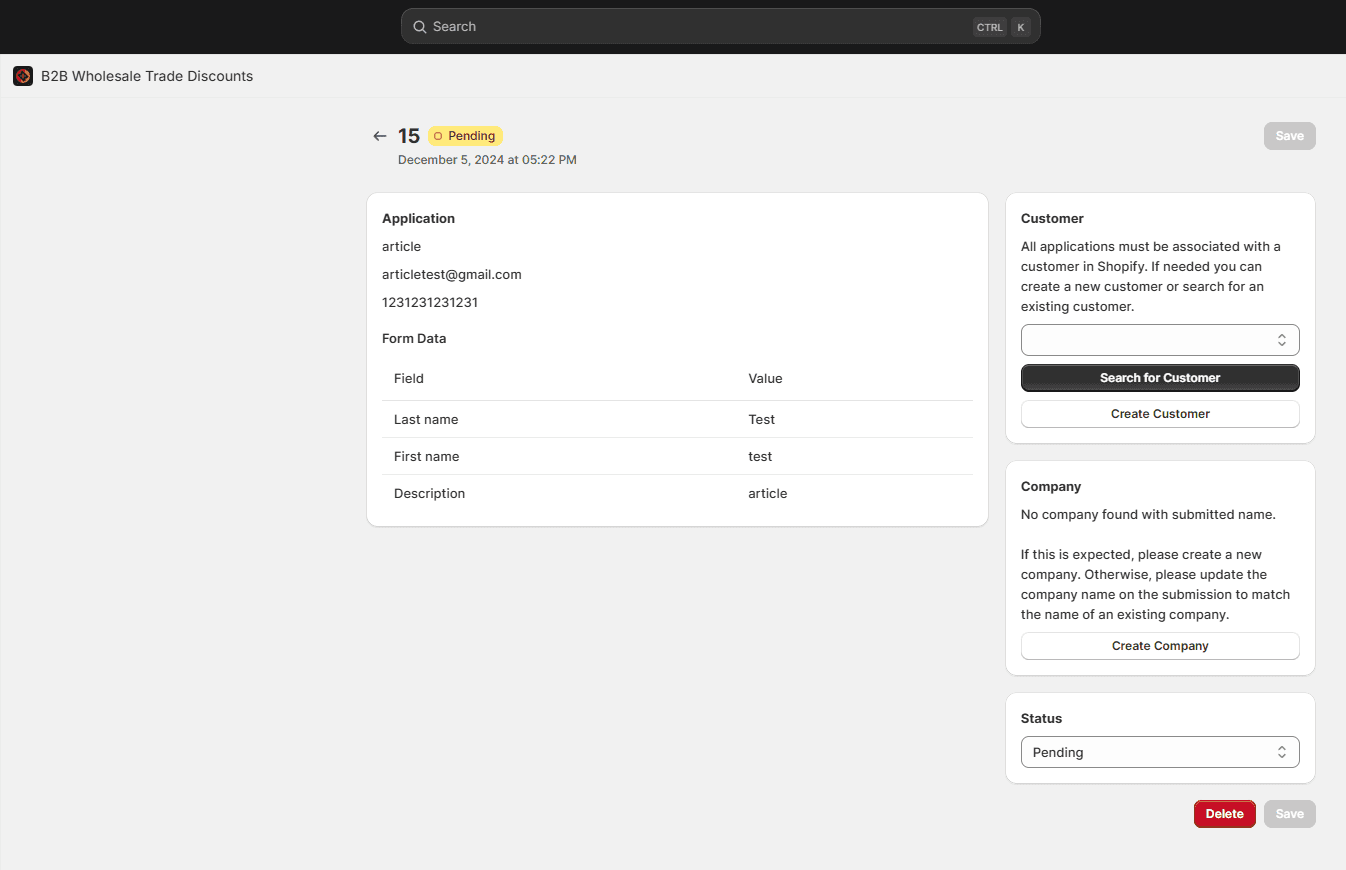
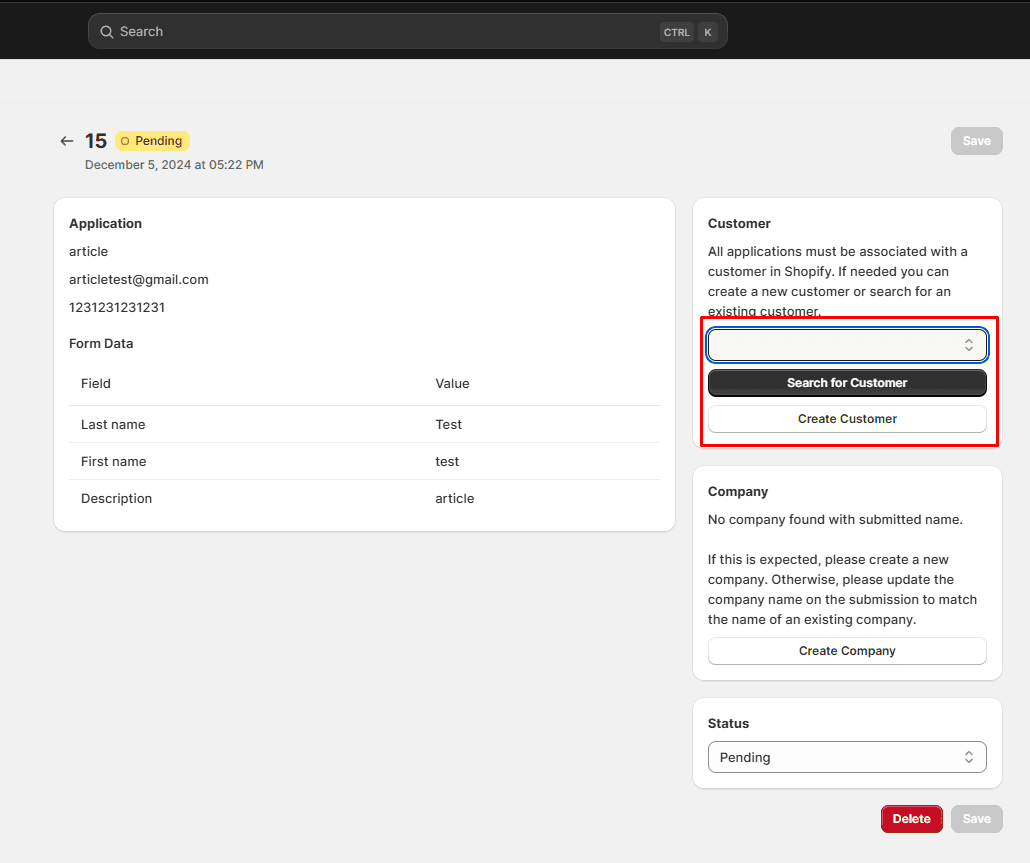
It will try to find a customer in Shopify as provided in the mandatory email field of the form. If no customer exists, you'll want to create a customer and then assign it to the application.
Assigning a company to the submission is required to approve it, and it is how Company teams work: add additional users to the company later and they inherit its discount tier, payment terms and tax status without a new application.
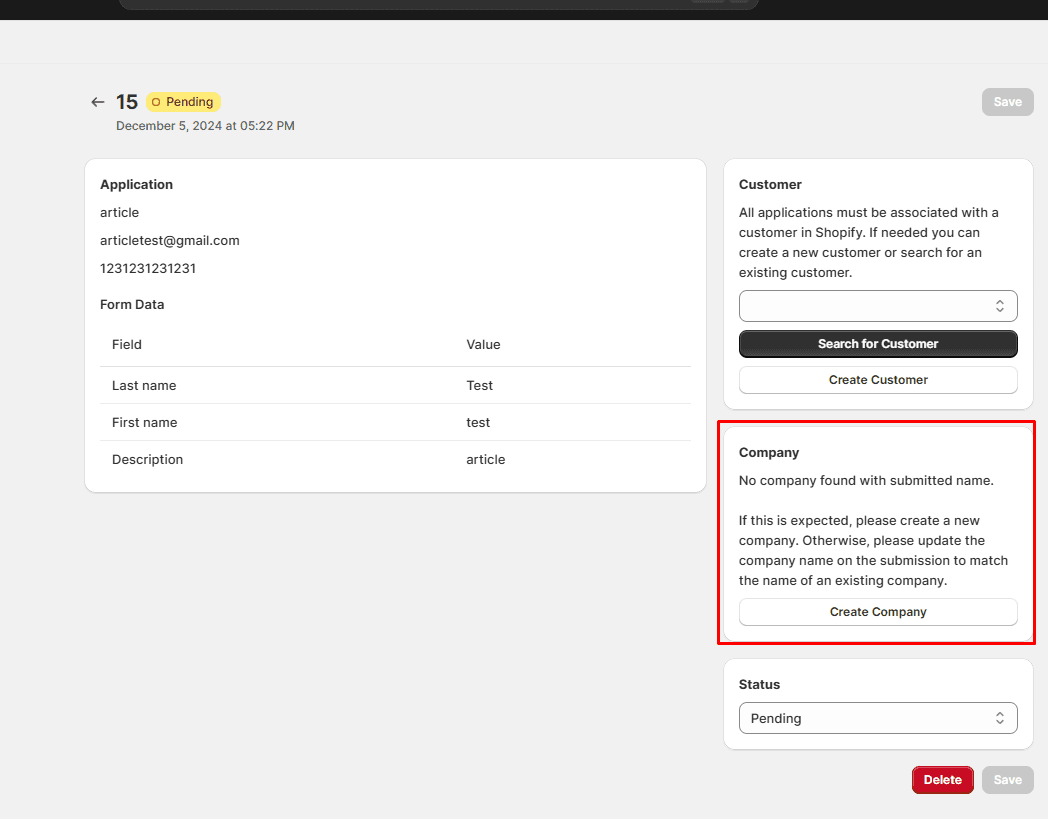
When you set the status to Approved, the form asks you to choose Taxable or Tax exempt for the company. Check the resale or exemption certificate the applicant attached before choosing exempt. After saving you are taken to the company detail page, where you can adjust the trade tier and the tax status at any time.
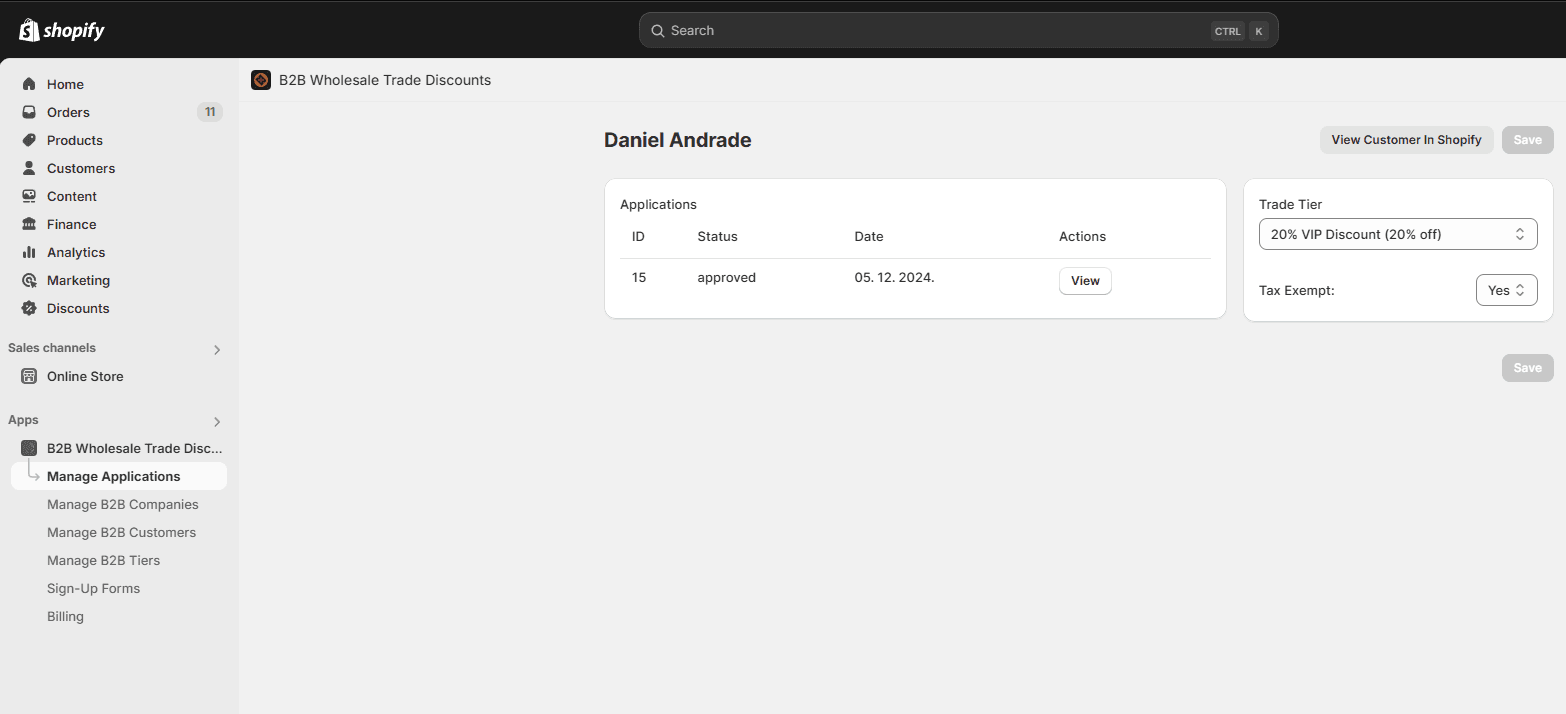
That's it! You're now ready to start building out your trade program.
If you need any help or are looking to migrate from Shopify Plus B2B, don't hesitate to reach out to our team at hello@conspireagency.com.
B2B Onboarding & Wholesale Documentation
Documentation for B2B Onboarding & Wholesale, the Shopify app for wholesale pricing, trade programs, sign-up forms and customer discounts.
Creating customer tiers
Use tiers in B2B Onboarding & Wholesale to give different discounts, price lists, and settings to different groups of Shopify customers.