
Draft order page block
Control whether a draft order invoice is visible to your customer - and send the invoice email - right from the draft order page in the Shopify admin.
The app ships an admin block called Invoice visibility that you can pin to the draft order details page in your Shopify admin. It shows at a glance whether the draft you're looking at appears in the customer's open invoice list - the customer accounts extensions and the classic account page widget - and gives you one-click actions to change that.
No more remembering tag conventions: the block tells you the current state and offers exactly the actions that make sense.
Adding the block
- In your Shopify admin, go to Orders → Drafts and open any draft order.
- In the Blocks section (or via the page's customization menu), click + Block.
- Choose Invoice visibility from B2B Draft Order Invoices.
- Pin the block to keep it on every draft order page.
The actions
When a draft is not visible to the customer yet, the block offers two ways forward:
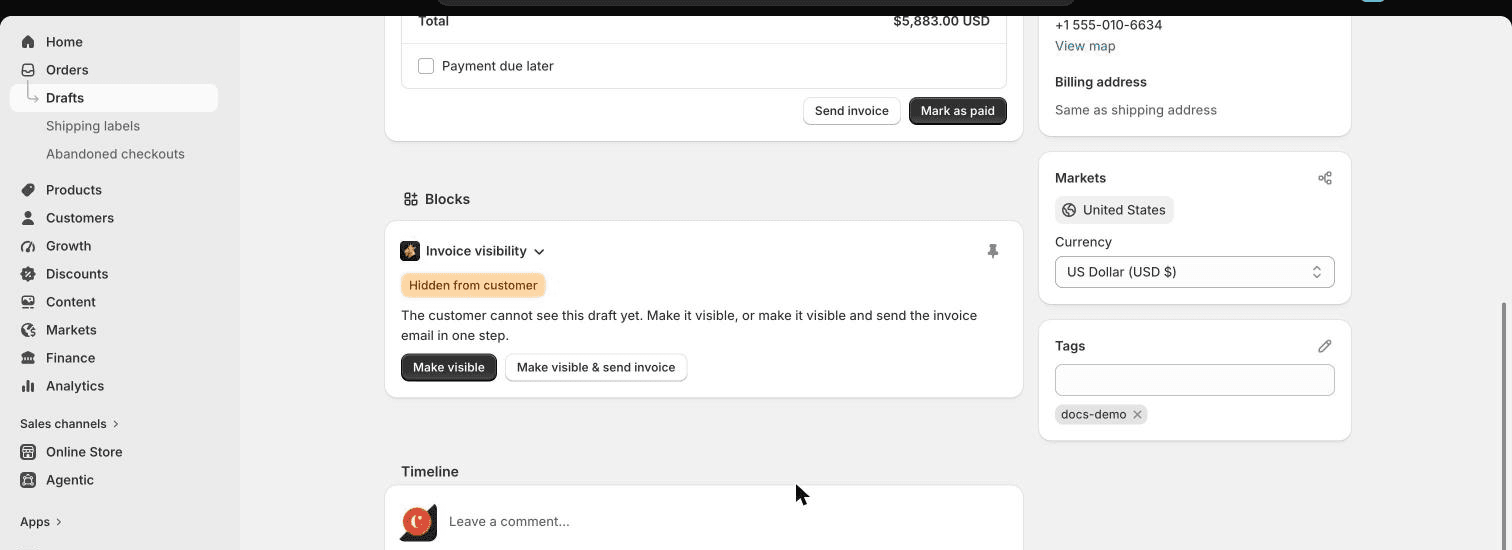
- Make visible - the draft appears in the customer's open invoice list (with its Review & Pay button), but no email is sent. Perfect for quotes the customer should discover from their account page, or when you've agreed everything over the phone.
- Make visible & send invoice - the same, plus Shopify emails the customer the secure invoice checkout link, exactly as if you'd clicked Send invoice on the draft.
When a draft is already visible, the block shows why (invoice sent, or marked visible) and lets you pull it back:
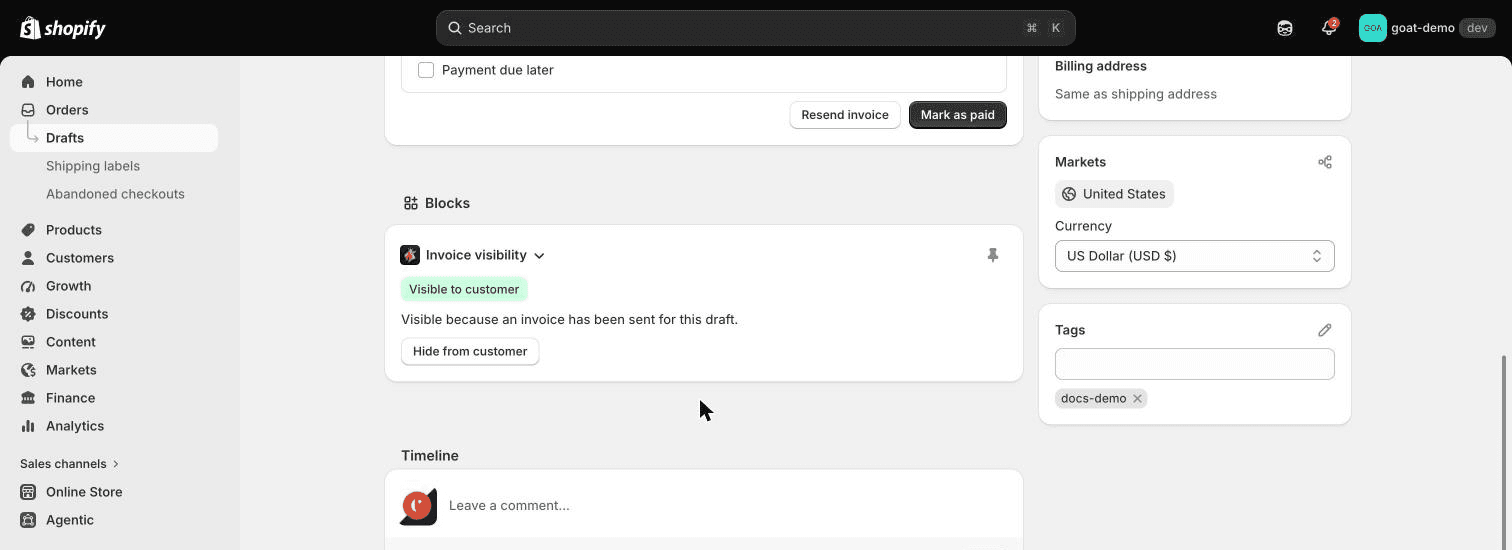
- Hide from customer - removes the draft from the customer's invoice list, even if an invoice email has already been sent. The secure checkout link in any email the customer already received keeps working; hiding only affects the invoice list in their account.
Making revisions after sending an invoice
Sent the invoice and then spotted a wrong quantity or price? Click Hide from customer, make your edits, then Make visible & send invoice to publish the corrected version and email a fresh checkout link. The customer never sees the half-edited draft in their account.
How visibility works
A draft order shows up in the customer's open invoice list when either:
- an invoice has been sent for it (Shopify's Send invoice, the app, or the block's send action), or
- it's been marked visible (the block's Make visible action).
Hide from customer overrides both until you make the draft visible again. Completed draft orders never appear in the list, and payment reminders keep their own schedule - hiding a draft doesn't cancel reminders that are already queued.
Under the hood the block manages two draft order tags, visible and
hidden. If you were already tagging drafts visible by hand (the old way
to surface a draft without emailing), that keeps working - the block simply
does it for you, and adds the ability to hide.
Good to know
- The block needs the draft to have a customer with an email address before it can send the invoice email - same as Shopify's own Send invoice.
- Visibility is per draft order. There's nothing to configure app-wide; pin the block once and every draft order page gets it.
- It pairs well with the Customer Draft Orders block on the customer page: one shows everything a customer has outstanding, the other controls what that customer can see.