
Payment reminders
Send automated email reminders for Shopify draft order invoices that are still unpaid, on a schedule you control.
Payment reminders follow up on invoices so you don't have to. When you send a draft order invoice and it stays unpaid, the app emails the customer reminders on a schedule you control.
How reminders work
- Reminders apply to draft orders whose invoice has been sent but not yet paid.
- Each reminder is scheduled relative to when the invoice was sent (the default schedule is 3, 7, and 14 days later).
- The reminder email uses the same Shopify email template as draft order invoices, so it matches the emails your store already sends and contains the customer's secure payment link.
- Reminders stop automatically once the invoice is paid (the draft order completes) or the draft order is deleted.
Configuring reminders
Reminder settings live on the Reminders page in the app's navigation:
- Open the app in your Shopify admin and go to Reminders.
- Click Turn on to activate automatic reminders for your store.
- Adjust the schedule: up to 5 reminders, each 1-60 days after the invoice is sent. Add or remove reminders, or reset to the defaults.
- Save your changes.
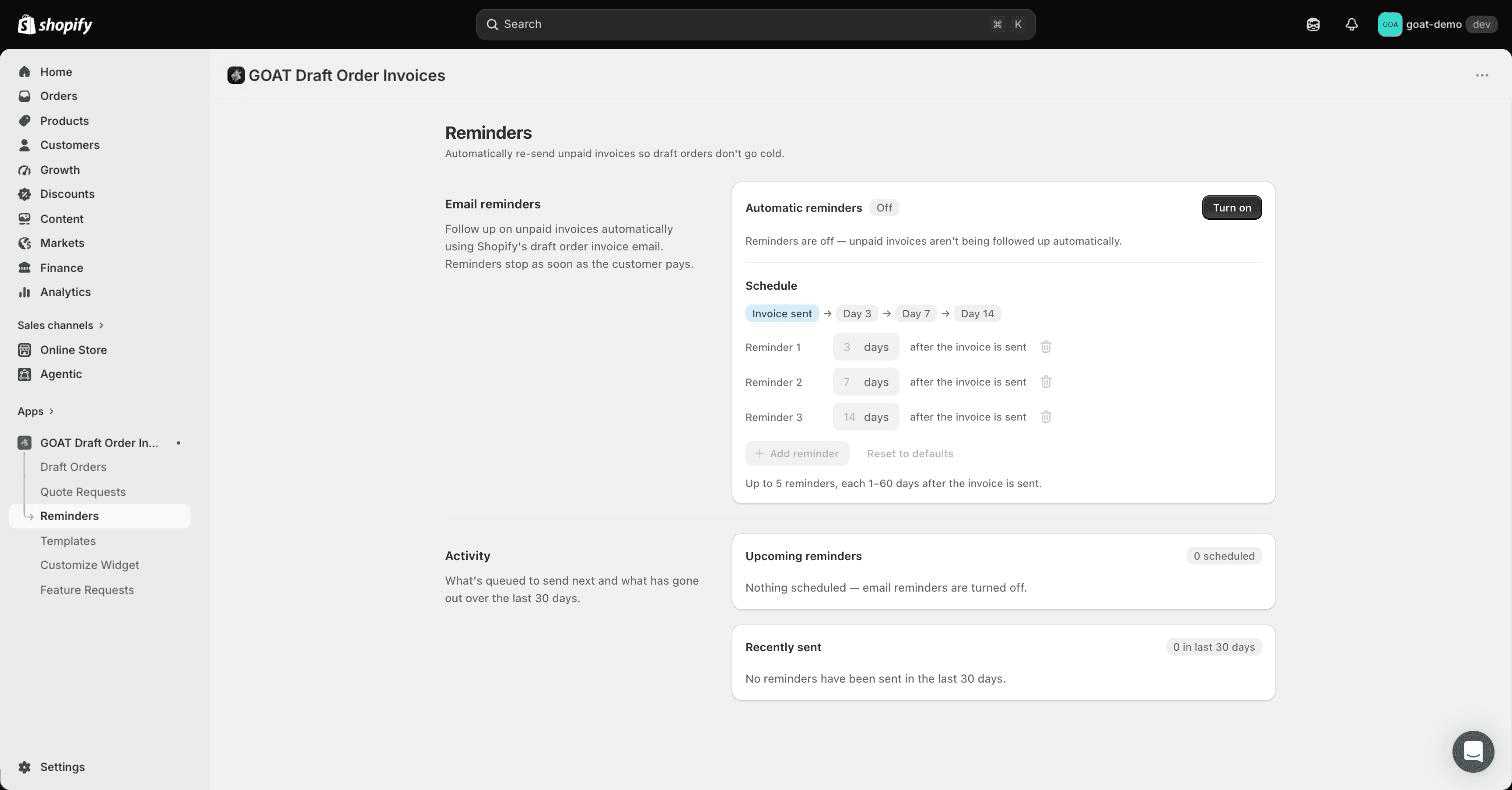
Reminders are off by default - the app never emails your customers until you turn them on. The page also shows what's queued to send next (Upcoming reminders) and what has gone out over the last 30 days (Recently sent).
Tracking reminder emails
Every reminder is recorded in the app's email log, alongside the original invoice email. For each draft order you can see:
- which emails were sent, to whom, and when
- delivery status, including failures and bounces
- whether the customer opened the email or clicked through
Open a draft order inside the app to view its full email history.
Reminders only make sense if the invoice was sent to a real customer email address. Draft orders without a customer email are skipped.
Prefer your own branding?
Built-in reminders use Shopify's invoice email template. If you'd rather design reminder emails yourself - or add SMS - connect Klaviyo and build them as a flow: see branded invoice reminders. If you go that route, leave the built-in reminders off so customers aren't reminded twice.