
Invoice PDFs
Generate downloadable PDF invoices for Shopify draft orders, so merchants and customers can save or print a copy of any invoice.
Every draft order invoice can be downloaded as a PDF. This gives B2B buyers and accounting teams a document they can file, print, or forward, without you building anything by hand.
What's in the PDF
The PDF is generated from the live draft order in Shopify and includes:
- your store name and details
- the invoice name and creation date
- the customer's billing details
- every line item with SKU, quantity, and unit price (including discounted prices)
- subtotal, discounts, shipping, tax, and total
- the draft order note, if there is one
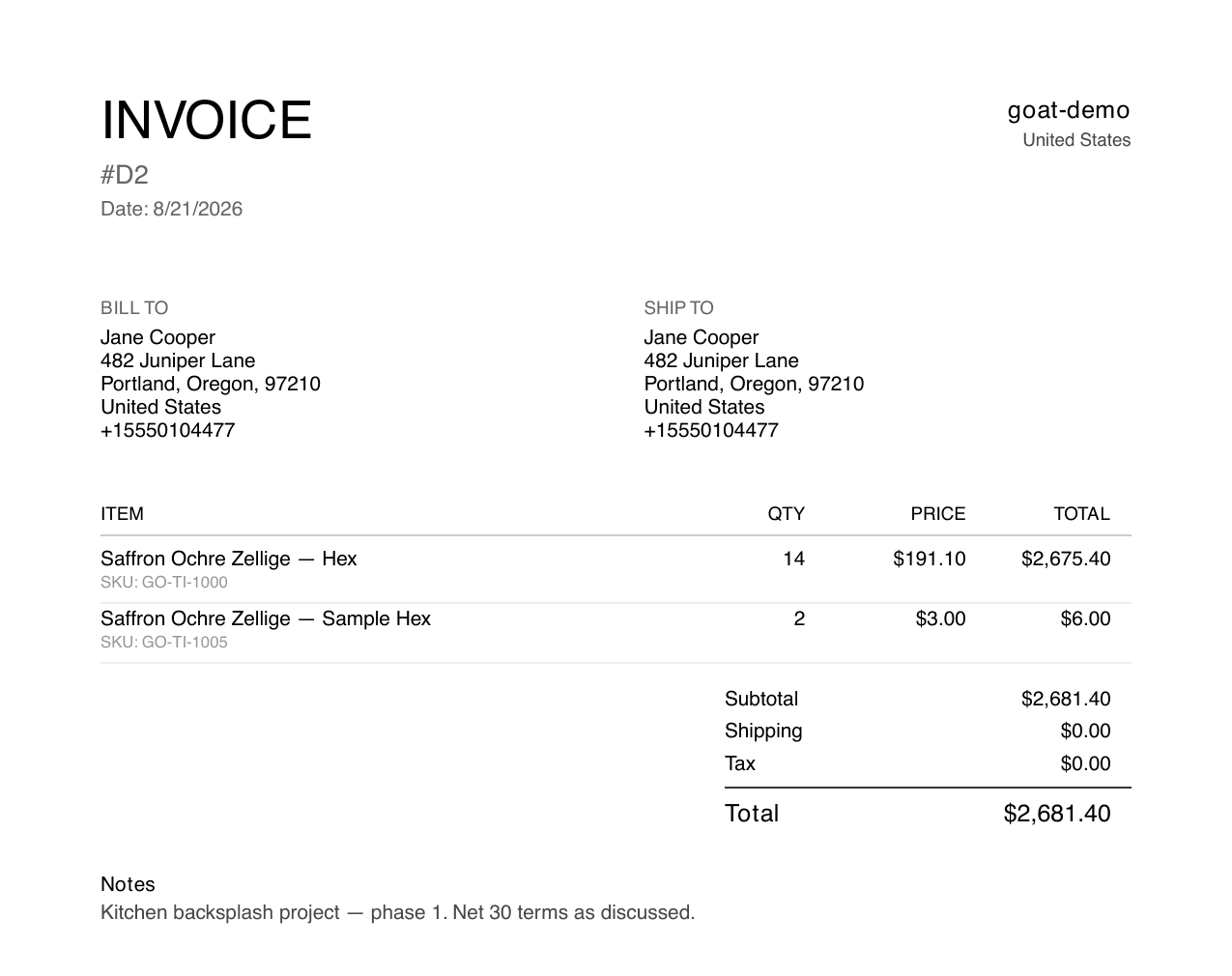
Because the PDF is rendered on demand, it always reflects the current state of the draft order.
Downloading as a merchant
Open the app's Draft Orders list and use the PDF action on any row, or open a draft and use its Download PDF button. Use this when a buyer asks for an invoice document over email or when accounting needs a record before payment.
Downloads for customers
On the classic account page widget, every invoice row offers a PDF button alongside Pay Now, so buyers can pull the paperwork they need without contacting you. They can also expand the row to double-check line items before downloading or paying:
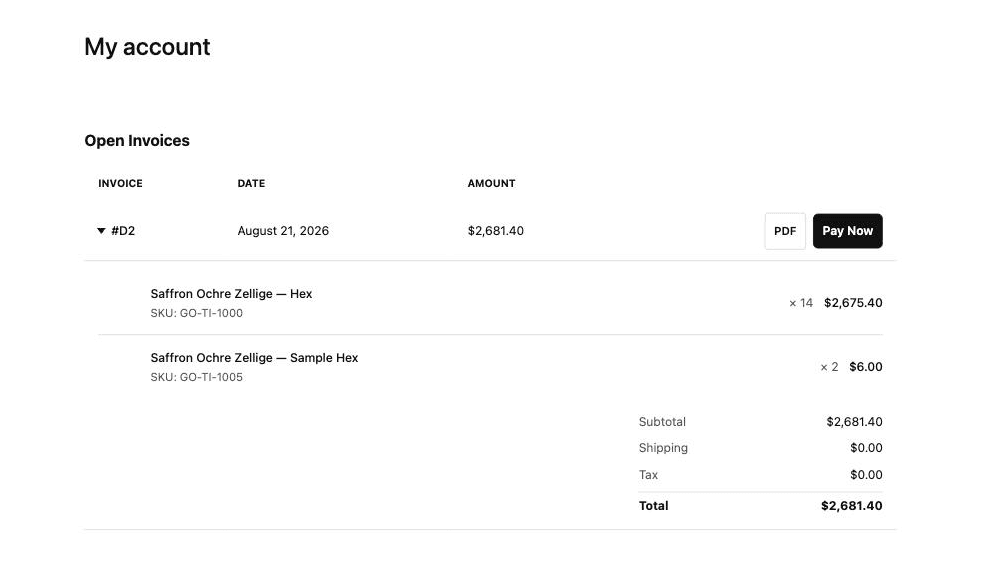
The PDF button can be turned off in the widget block's theme editor settings if you'd rather customers request documents from you directly.
Customers can only access PDFs for their own draft orders; invoices are matched to the logged-in customer before a PDF is served. In the newer Shopify-hosted customer accounts, the extensions currently focus on review and payment - PDF downloads are available on the classic widget and from the app's admin.